FAQ: Adding non-client Grantors
Last updated: April 26, 2025
In some cases, you may need to set up non-client grantors to accurately illustrate an estate plan such as:
Family trusts set up by parents or grandparents:
A client's parent (who isn’t your client) may have established a trust for your client’s benefit.Irrevocable trusts created by another relative:
For example, an aunt, uncle, or other extended family member might be the original grantor of a trust you're tracking.Deceased grantor:
A grantor who is no longer living but must still be recorded for historical trusts.
In all of these cases, even though the grantor isn’t your client, it’s important to reflect their role correctly in Luminary to keep the trust records accurate. Luminary makes it easy to do this.
How to
Navigate to People tab
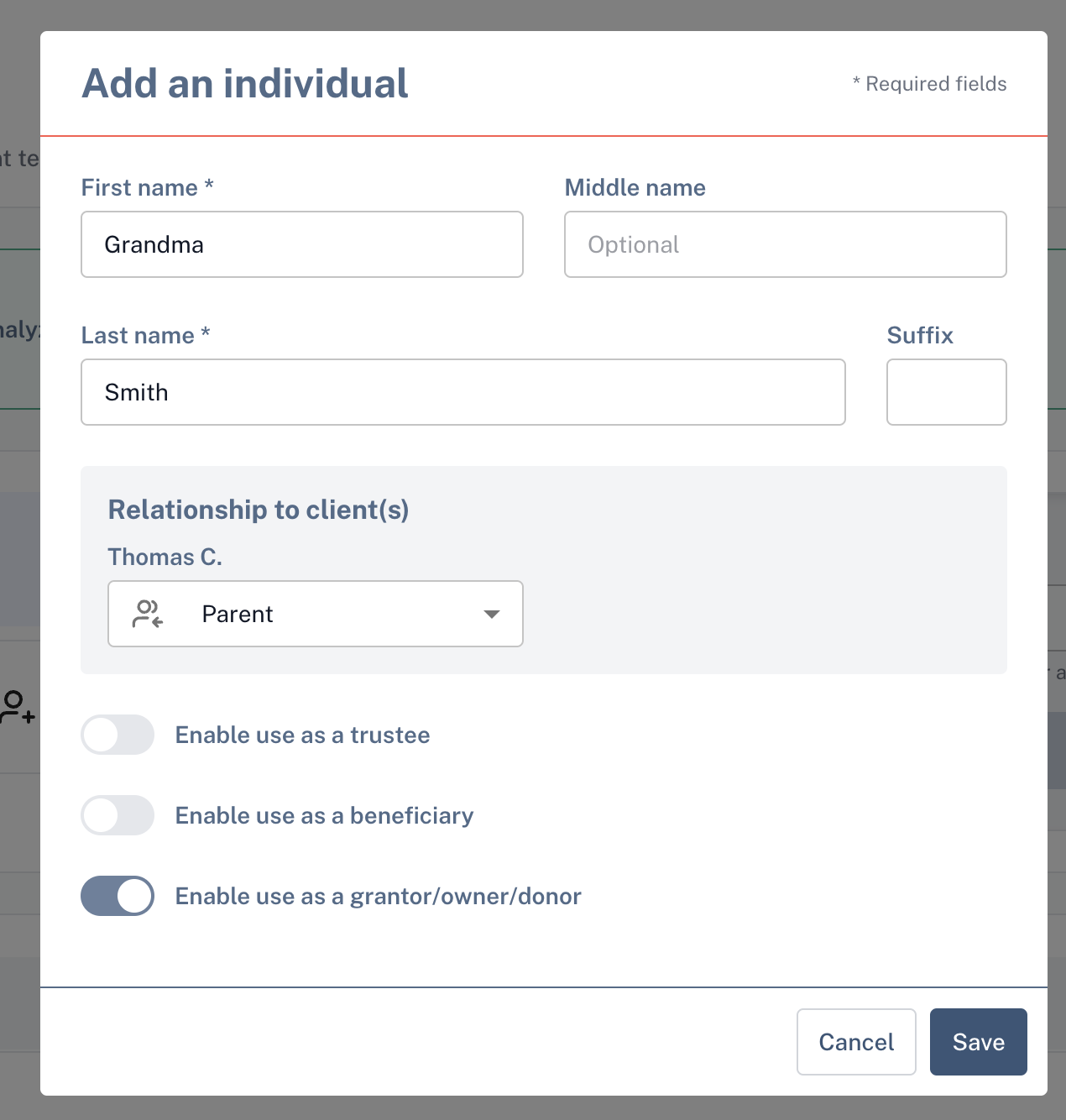
Add the grantor as a new individual:
Click Add > New Individual and enter the grantor’s basic information — like their name and relationship to the trust or client. (Don’t worry — they don’t need to be a full client record.)Toggle on "Use as Grantor"
Open the trust or entity where they should be listed and look for the Grantor field. Link the new person you added as the grantor for that trust.