Apply custom estate tax settings
Last updated: November 17, 2026
In an estate waterfall in Luminary, modify tax calculation assumptions to adjust portability settings and define pro rata or custom tax payouts.
Open tax settings
Open the Waterfall page.
Click Tax settings in the waterfall toolbar, immediately to the left of the growth profile.
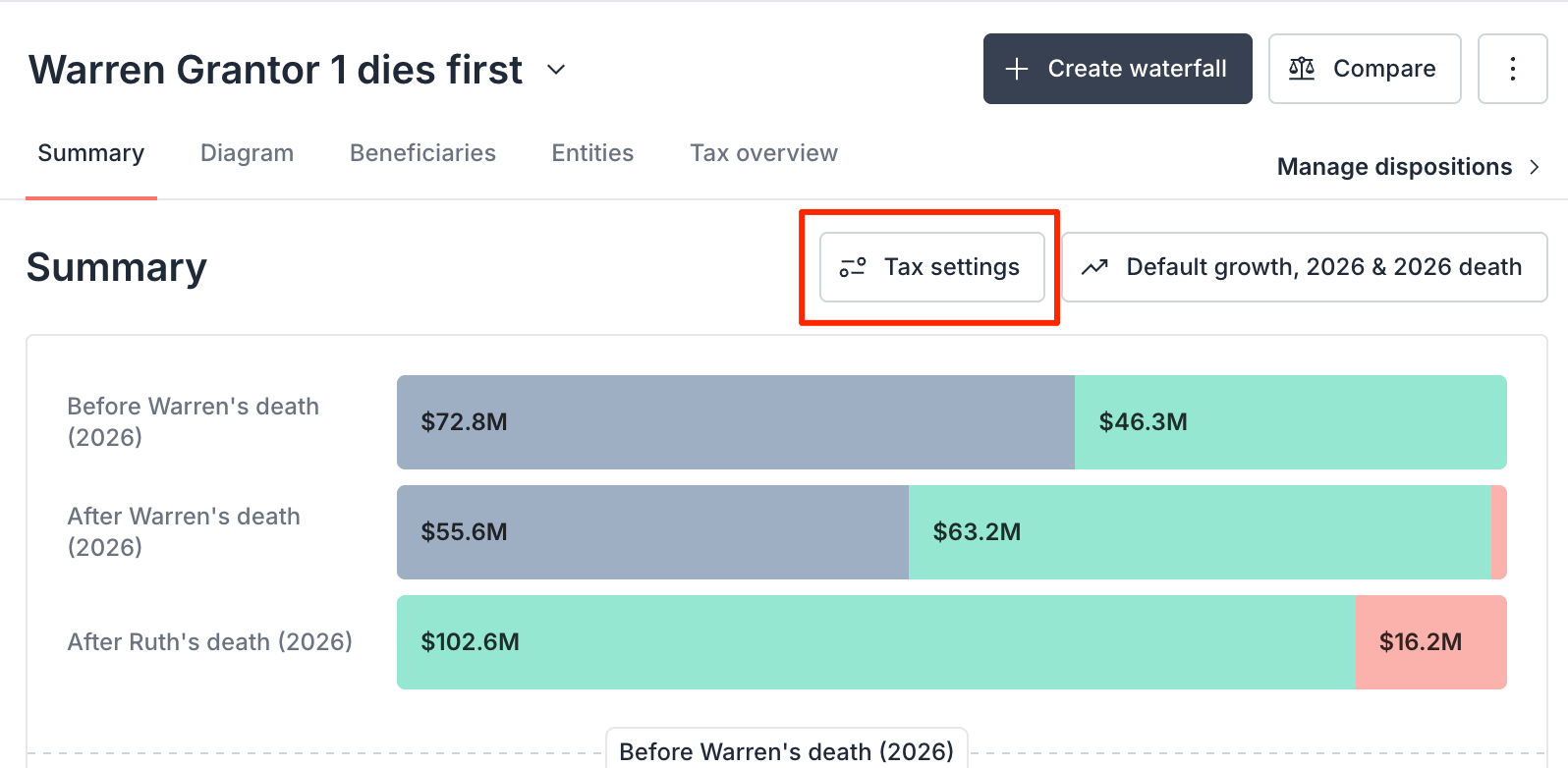
The side panel opens for the death order of the waterfall you are viewing. For a two-client household, use the button group at the top of the panel to switch which client dies first.
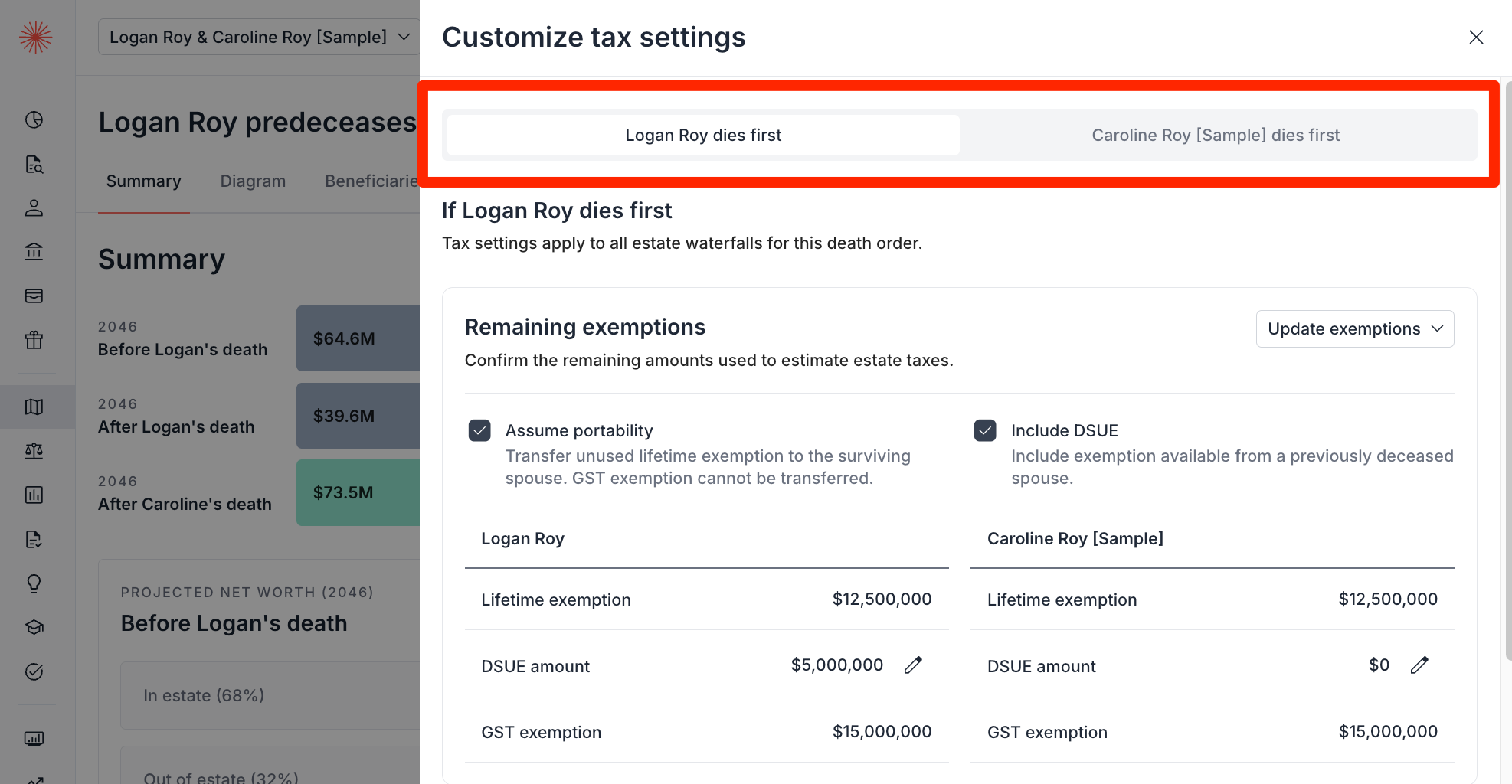
Tax settings apply to all estate waterfalls for the selected death order.
Remaining exemptions
This section shows how much the deceased spouse can pass on before federal transfer taxes apply.
Lifetime exemption ($15.48M): This is the unified gift and estate tax exemption, the total amount Logan can give away during life or leave at death without paying federal estate or gift tax. Taxable gifts made during her lifetime reduce it.
GST exemption ($15.48M): The generation-skipping transfer tax is a separate tax on transfers that skip a generation, such as gifts to grandchildren or trusts for them. Its exemption is tracked separately from the lifetime exemption.
For more information on how to update lifetime and gst exemption, see below.
📄 Track lifetime and annual gifting
Include DSUE: This box is checked by default. It shows the DSUE amount fields in the remaining exemption columns so you can review or enter available deceased spousal unused exclusion amounts. Opening the panel does not create a DSUE amount.
Assume portability: When the first spouse, dies, any unused portion of their estate tax exemption can transfer to their surviving spouse. This is known as portability.
When this box is checked, the model assumes the surviving spouse receives that unused exemption in addition to their own. For example, if Logan dies first and his estate uses only half of his available exemption, the remaining half is added to Caroline’s exemption for use in future planning.
Note: GST exemption can't be ported, so any GST exemption Logan doesn't use is lost.
Estate tax payment method
This section decides which assets bear the estate tax when it's due. These settings apply to all estate waterfalls for the selected death order.
Pro rata (selected by default): The tax is spread proportionally across all in estate entities. If a trust holds 30% of the taxable estate, it pays 30% of the tax.
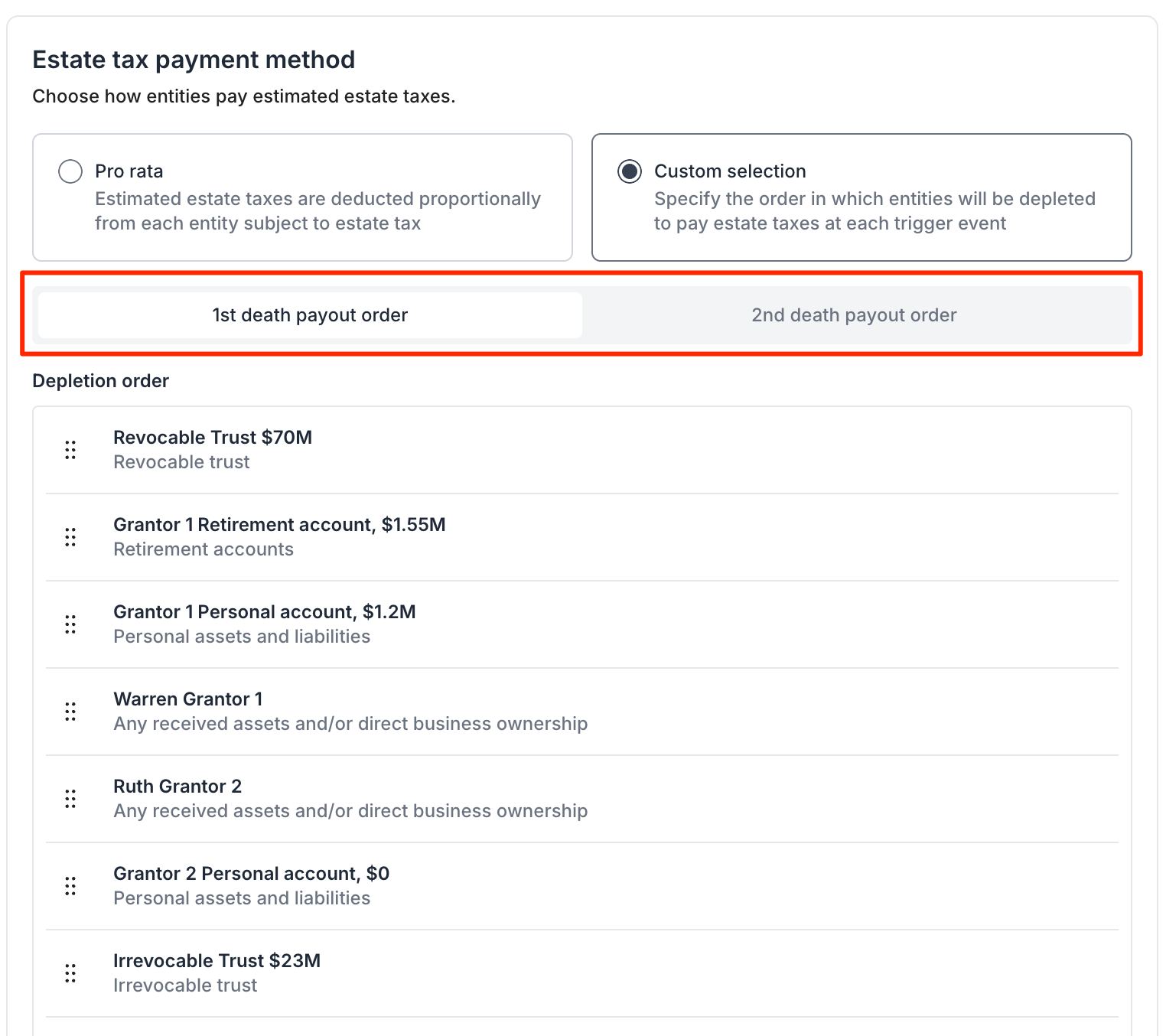
Custom selection: Use Custom Selection to choose the order in which entities pay estate taxes at each trigger event—the death of either spouse. For example, you can direct Luminary to draw from a marital trust first, followed by a specific revocable trust. This option is useful when a client’s will or trust includes a tax apportionment clause directing taxes to be paid from specific sources.
Luminary draws from the entities in the order you list them. The first entity pays as much of the tax bill as its available assets can cover. If those assets are depleted and taxes remain, Luminary moves to the next entity in the list. This process continues until the full tax bill is paid or all listed entities are depleted.
Payout order: When you choose custom selection for your estate tax payment method, ensure you select the correct death event to modify. This allows you to set the order of depletion for tax payment at first death and/or second death.
Click Done in the bottom right corner to save your changes.