AI balance sheet
Last updated: July 9, 2026
Overview
Luminary’s AI-powered balance sheet enables advisors, planning teams, and professional services firms to generate a complete, client-ready balance sheet simply by uploading existing financial documents—no manual entry required.
Key capabilities
Upload documents—including spreadsheets, insurance policies, personal financial statements, and more—and Luminary AI handles the heavy lifting. It identifies assets, liabilities, and ownership structures, automatically groups holdings by owner (including trusts and businesses), surfaces suggestions for review, and links every entry back to its source.
Multi-document parsing: Extract asset, liability, and insurance details from virtually any format
Ownership grouping: Automatically categorize holdings by owner, trust, or entity
Entity recognition: Identify and suggest trusts and business interests
Click-to-review interface: Validate AI suggestions alongside original source materials
Client-ready exports: Generate polished balance sheets that feed directly into downstream tools like estate diagrams
Quick tips:
Make sure the document type is uploaded as 'Balance sheet' in Luminary. Other document types will not result in AI suggestions.
Before uploading the balance sheet, set up the trust entities in Luminary (can be done by uploading trust documents and using Luminary AI).
Remove extraneous pages or excel tabs from the balance sheet before uploading. Cleaner uploads will result in better AI suggestions.
Getting started
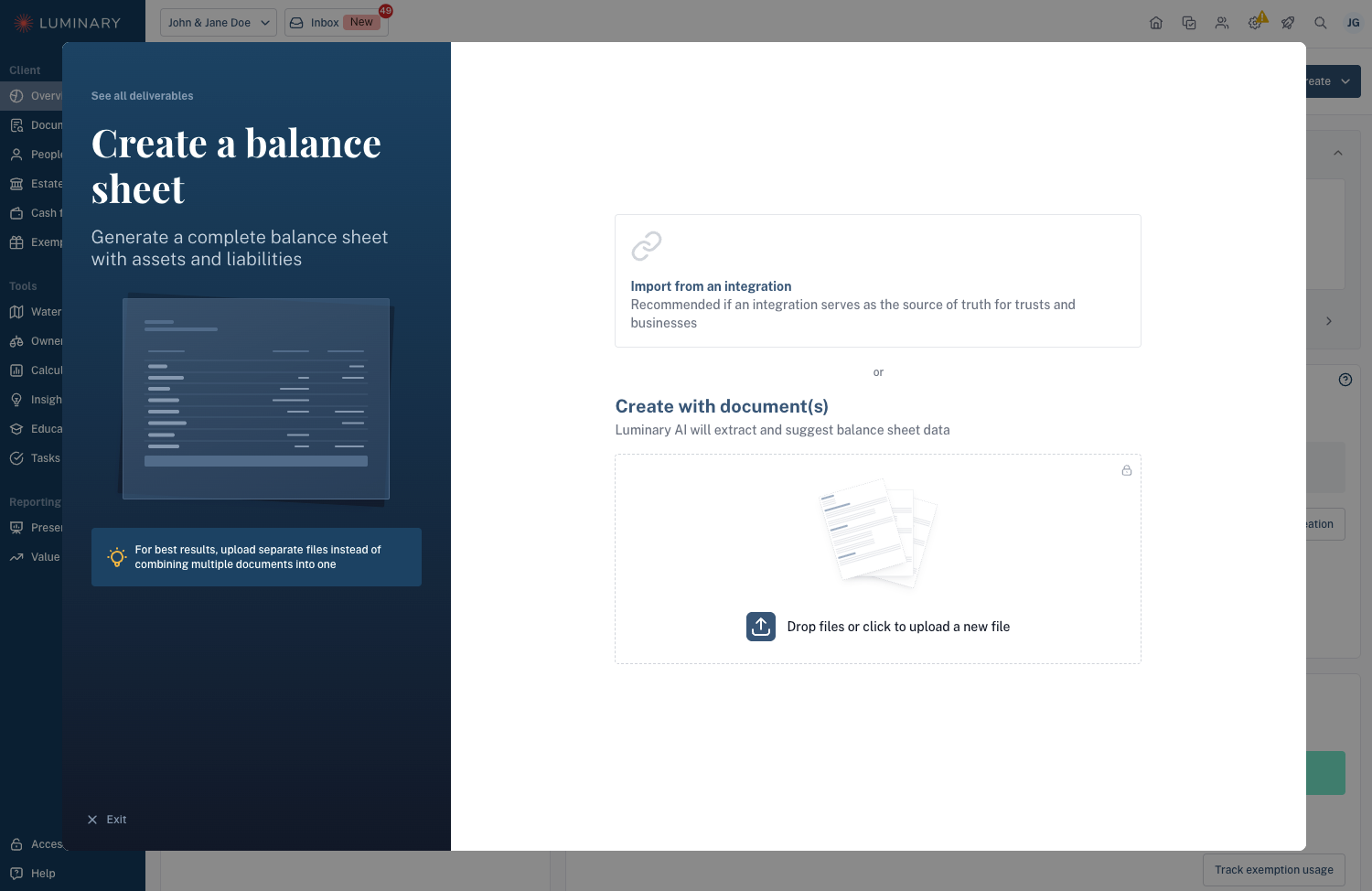
(1) Upload documents from anywhere on the platform and Luminary will extract holdings, trusts, and businesses. We also offer a focused balance sheet deliverable flow entry point as well (not required to trigger holding suggestions).
Note: The document type must be set to "Balance Sheet" to trigger AI suggestions for holdings.
(2) After a few minutes, holding suggestions will appear for direct holdings as well as suggestions for any trusts and businesses. For direct holdings, Luminary pre-creates holding groups for each owner which mirror how assets typically get disposed of after death events. This is done automatically with no need for any manual set up.
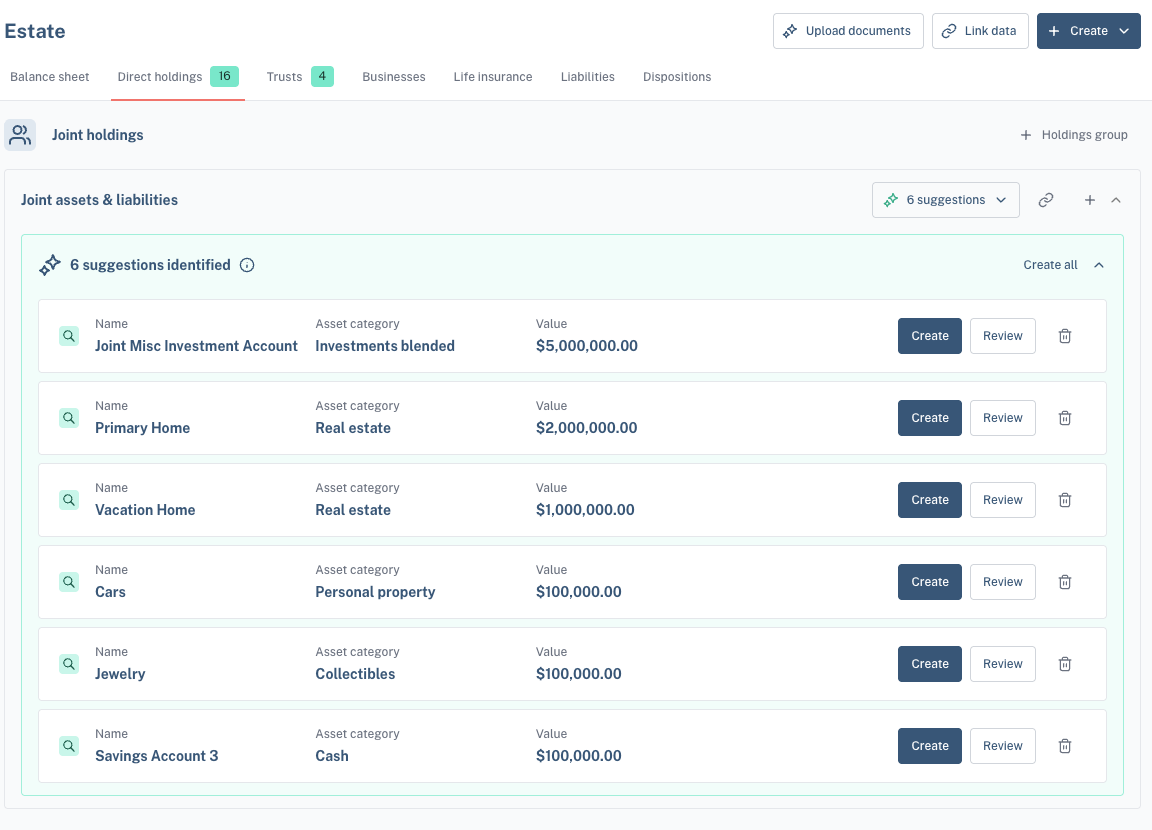
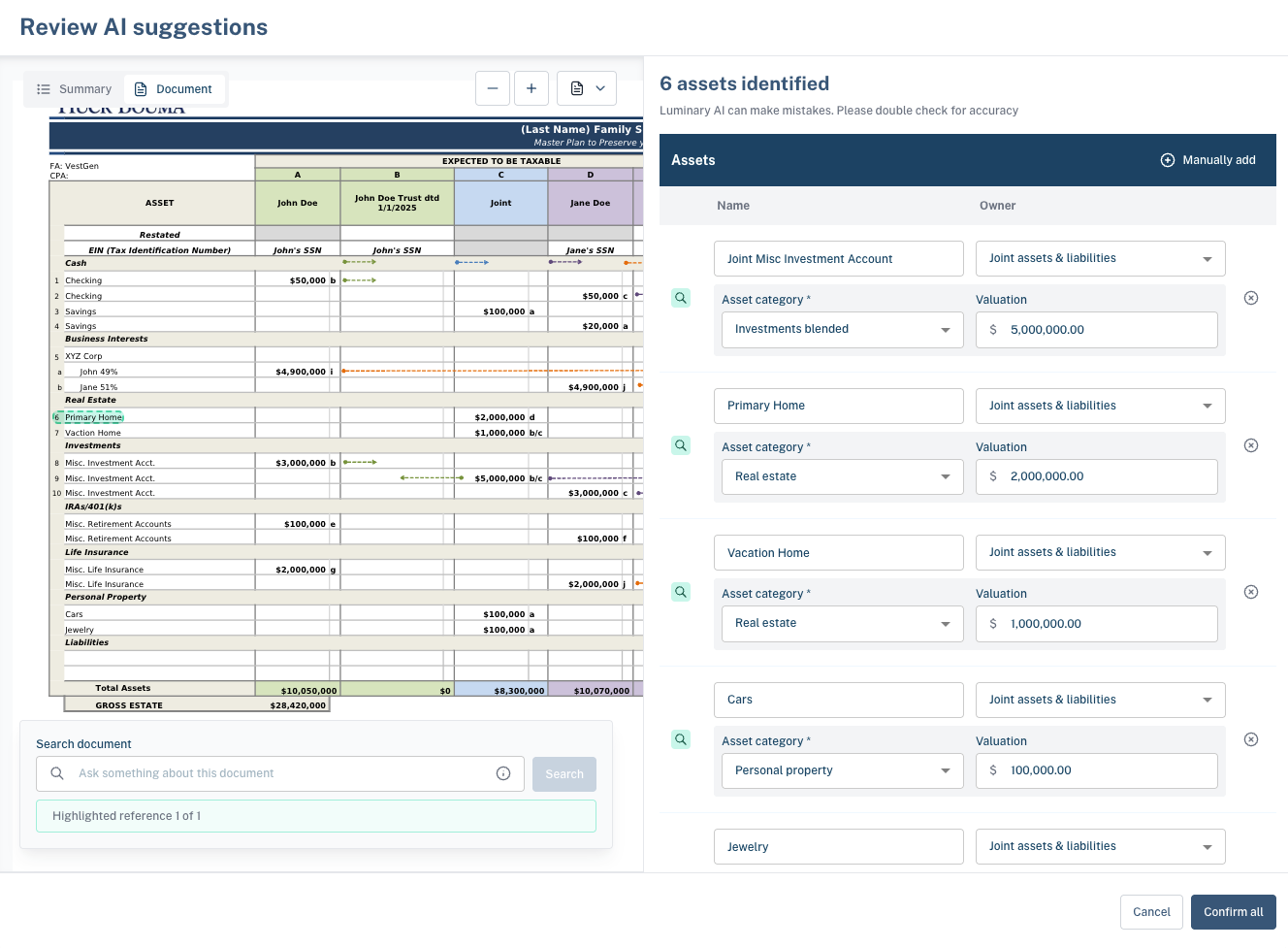
(3) You can create each holding individually, or click “Review” to see them all together in bulk, next to the source documents. Click on the magnifying glass to see references for the exact source material for the suggestion.
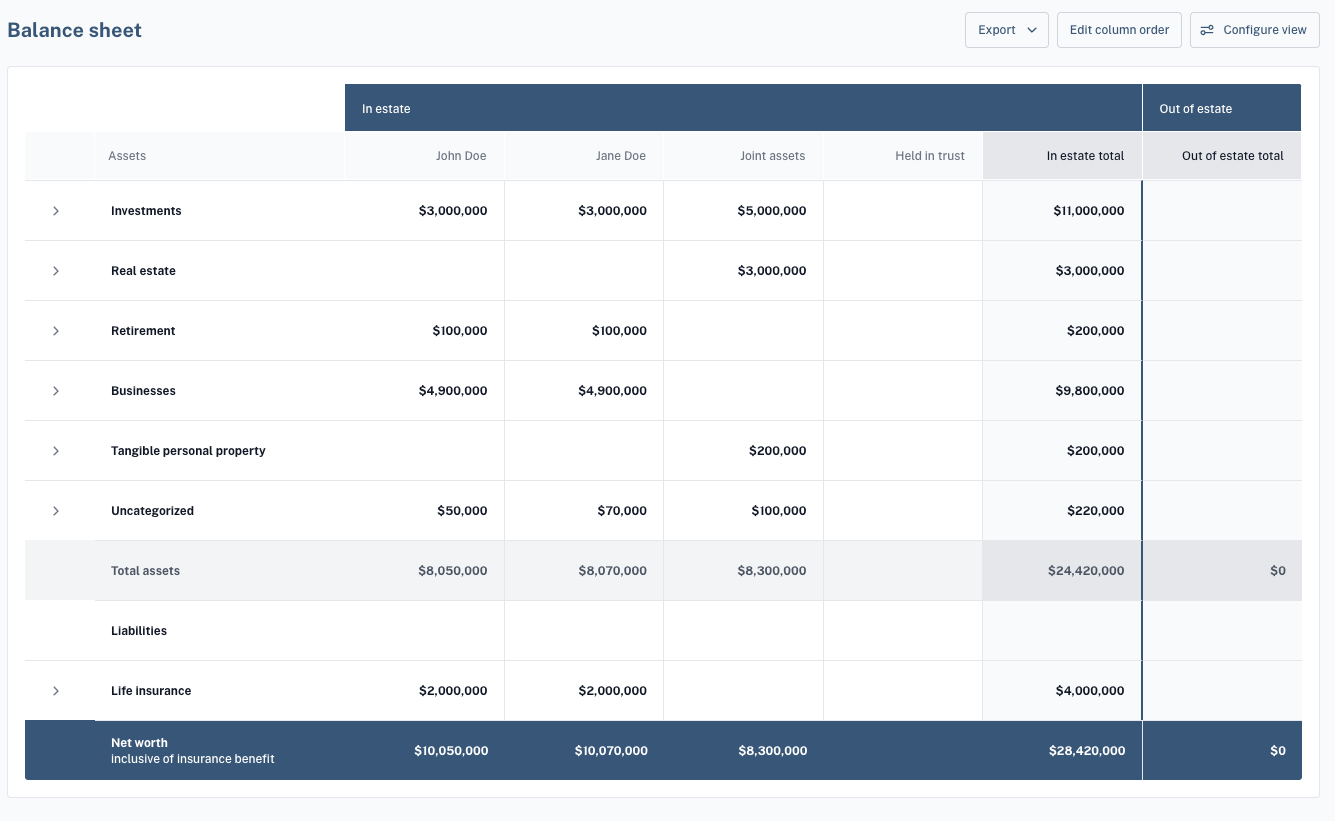
(4) Luminary can extract all types of assets, liabilities, and life insurance policies that are held directly or by trusts and businesses. For trusts and business holdings, users can review entity suggestions at the top of the Trusts tab or the Businesses tab. Once created, holding suggestions will appear inside the cards. The end result is a fully built out balance sheet in Luminary that can be exported easily into client facing reports and used to power Luminary’s tools like the Estate Waterfall.
Formatting tips
Showing clear ownership of assets will improve AI extraction accuracy
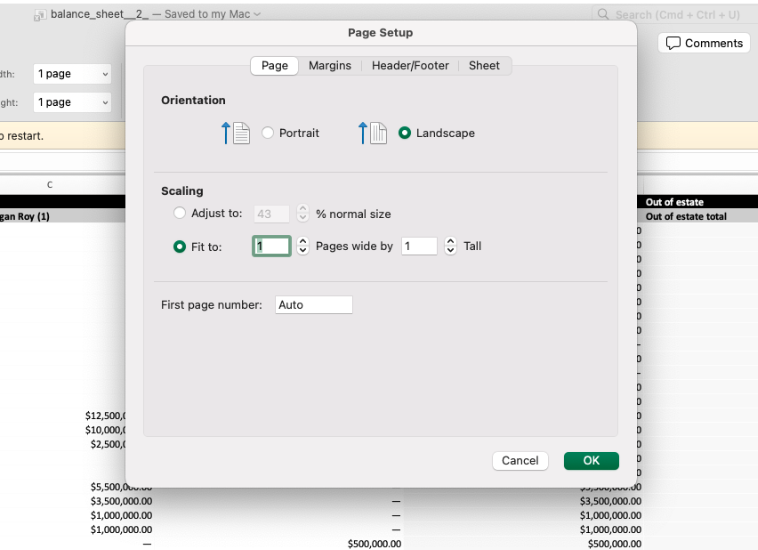
Spreadsheets should have the page setup settings on landscape and scaled to fit on one page when possible
Remove any color fill in the cells to improve AI accuracy