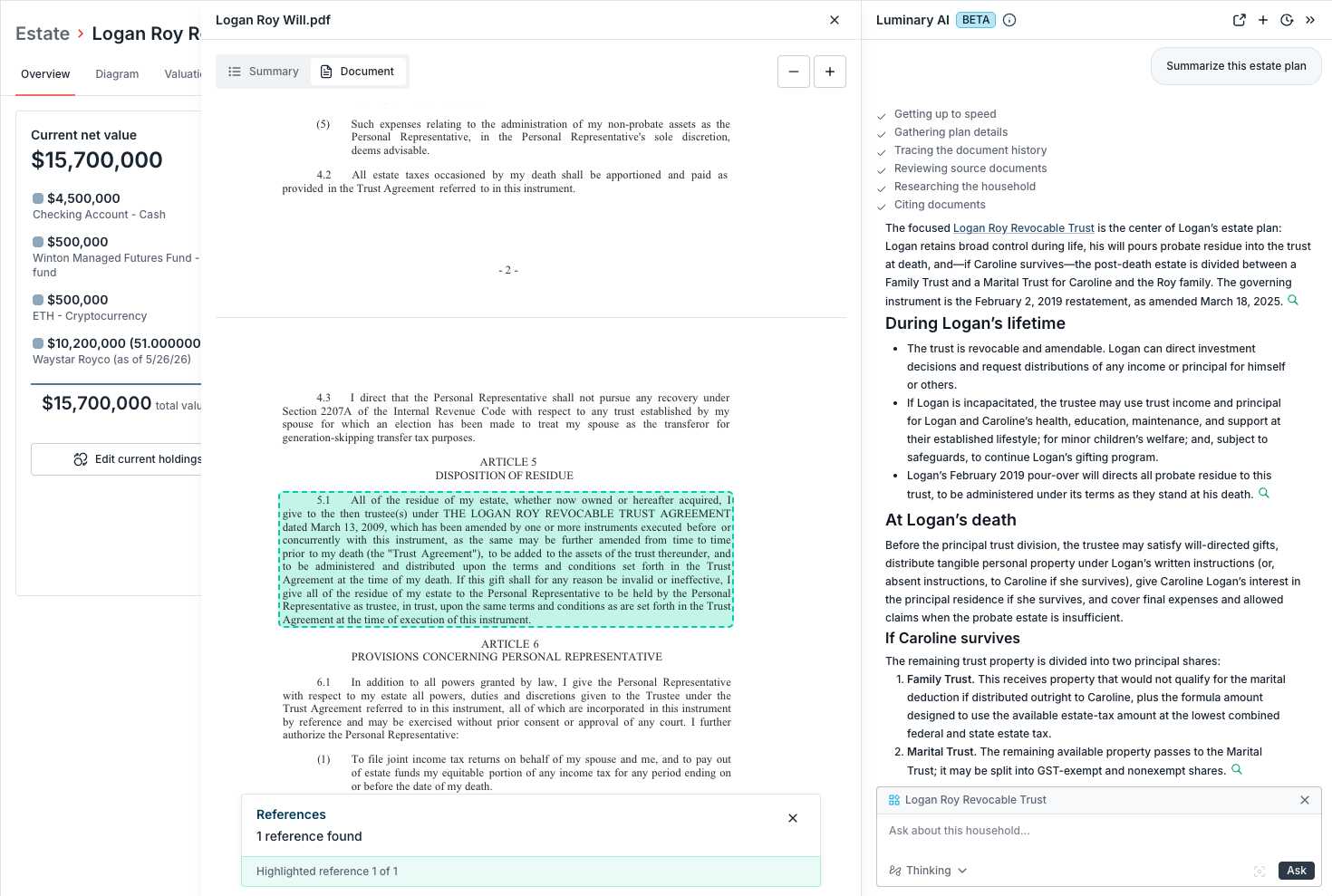
Luminary AI Assistant (new!)
Last updated: July 31, 2026
Luminary AI Assistant makes Estate Plan insights even easier to access across a family's household in Luminary. Ask questions across all of a household's documents and data, understand how an estate waterfall flows and how taxes are calculated, and get help navigating the platform.
Key capabilities
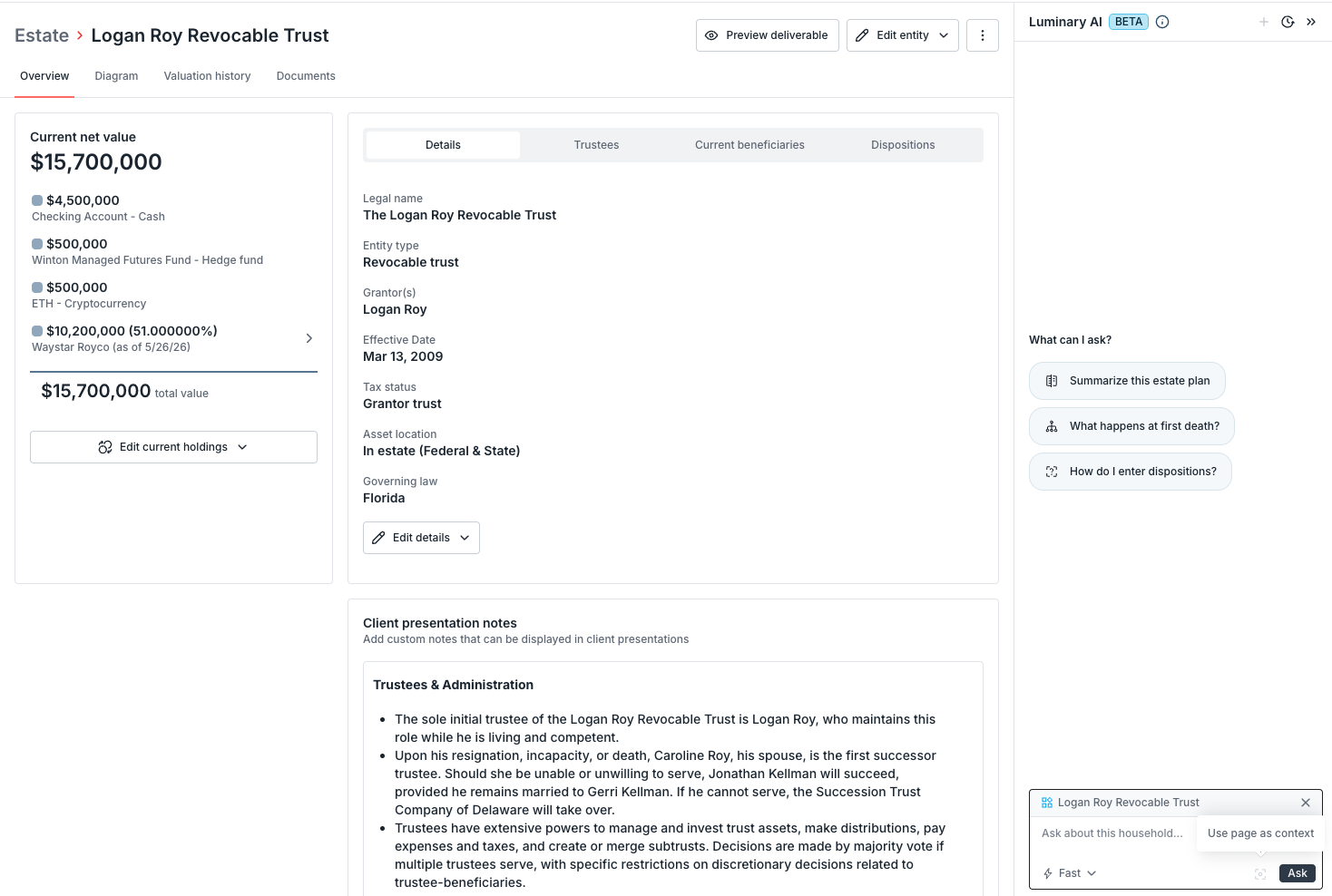
Open the assistant from anywhere in a household and it works from the full picture. The AI assistant answers questions grounded in the household's data, links back to the underlying sources, and can pull up documents alongside your conversation.
Household Q&A: Ask about the estate plan across all documents and data records, not just a single file
Waterfall explanations: Understand how distributions flow, what happens at each death event, and how taxes are calculated
Platform guidance: Ask how to do something in Luminary—like "how do I enter dispositions?" or "where do I find trust details?"—without searching the Academy
Ask questions like...
Summarize this estate plan
What happens if their son dies before them?
How do I enter dispositions?
How is the estate tax calculated?
Create a table listing out all the trustees across the trusts in the plan
Coming soon! The AI Assistant does not yet create deliverables or new data records and cannot update existing data. It isn't built to audit how well a plan is drafted, flag issues on its own, or serve as a substitute for attorney review.
Quick tips
Luminary Assistant has two modes:
Use Fast mode for quick lookups, navigation help, and straightforward questions.
Use Thinking mode when you need deeper reasoning and want more citations of the output.
The assistant reflects the data currently in the household, relying heavily on uploaded documents and saved data in the client record if added. The assistant does not require anything other than uploaded documents to enable answers about the client's specific estate plan.
Getting started
(1) Open the assistant from anywhere in a household. Entry points are available across the platform, so you can launch it from the overview, a document, a summary, an entity, the waterfall, and more. This replaces document chat so instead of chatting with one file at a time, you're working with the entire household from wherever you are.
Note: The assistant works across all of a household's documents and data records by default. You no longer need to open a specific document to start a conversation.
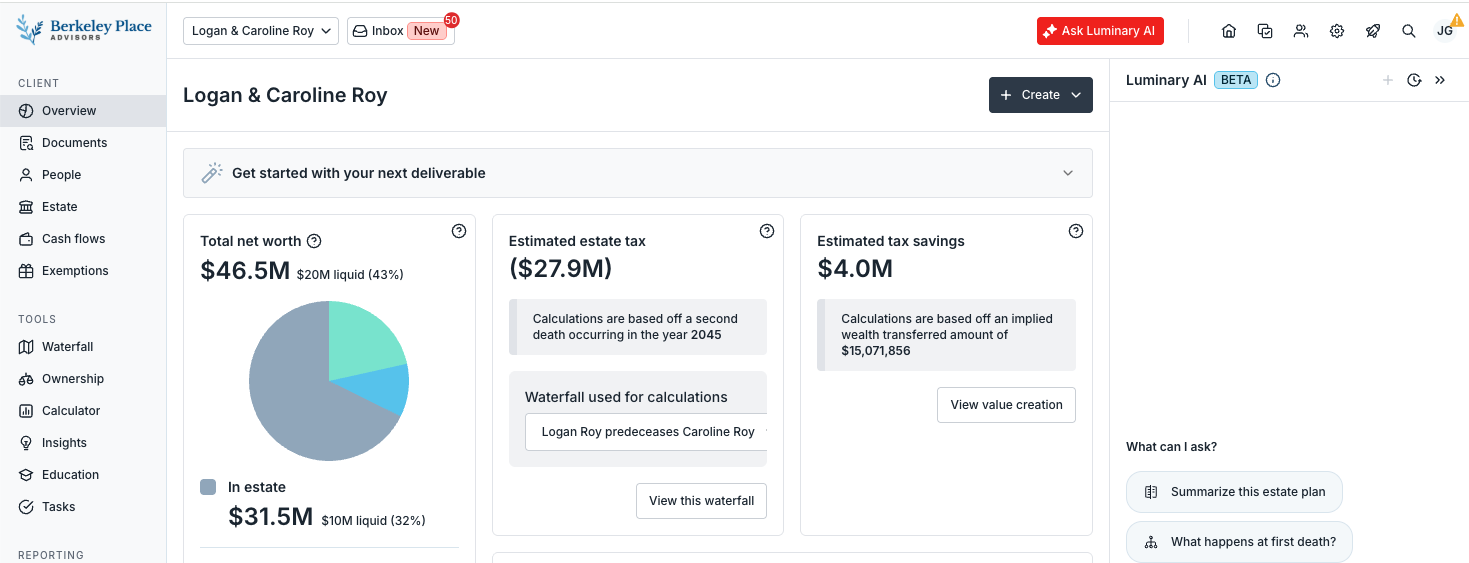
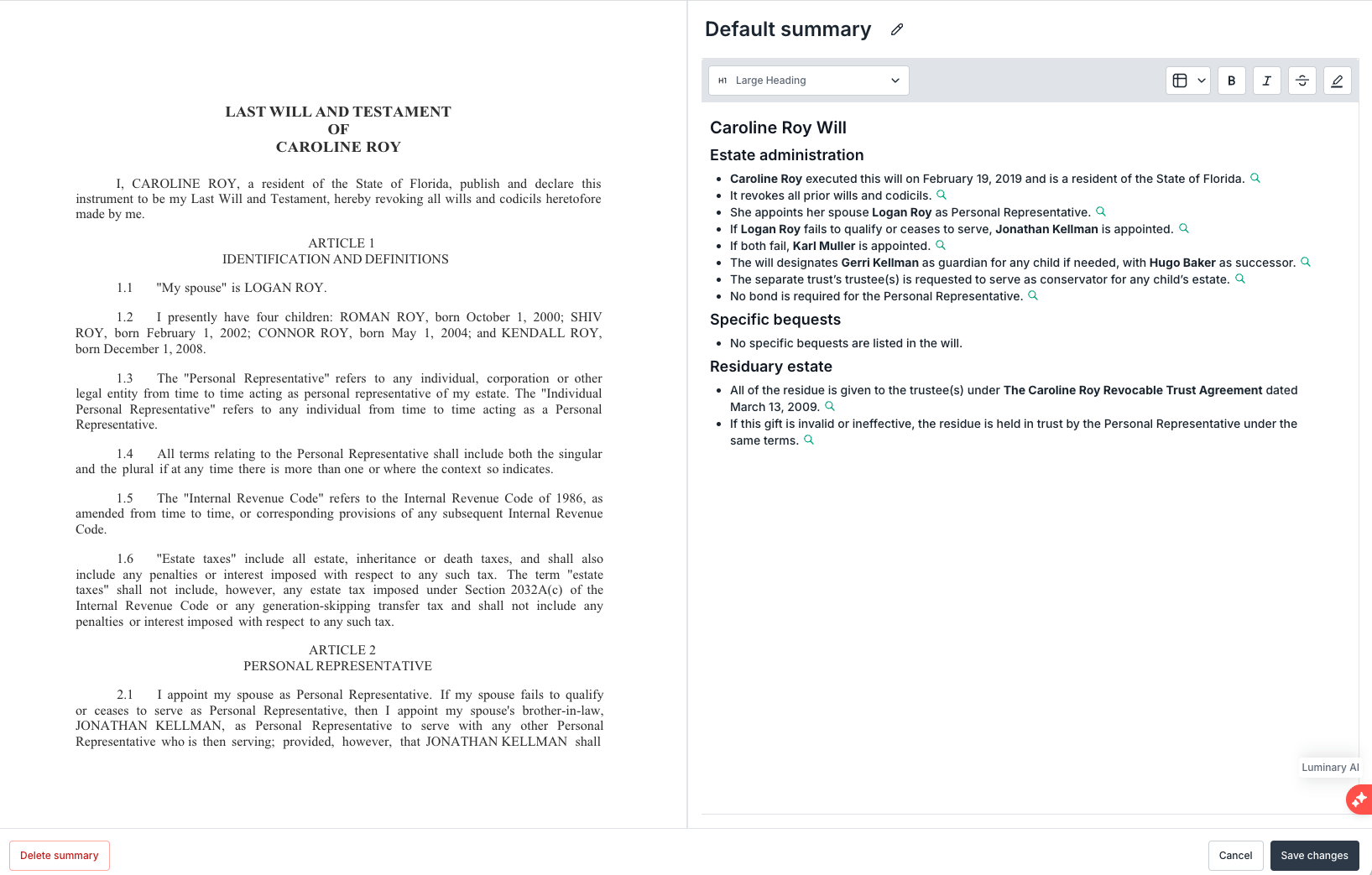
(2) Ask a question. The assistant answers using the household's documents and data, explains estate waterfall mechanics including tax calculations, and can walk you through how to use the platform. Each answer links back to the exact source material behind it.
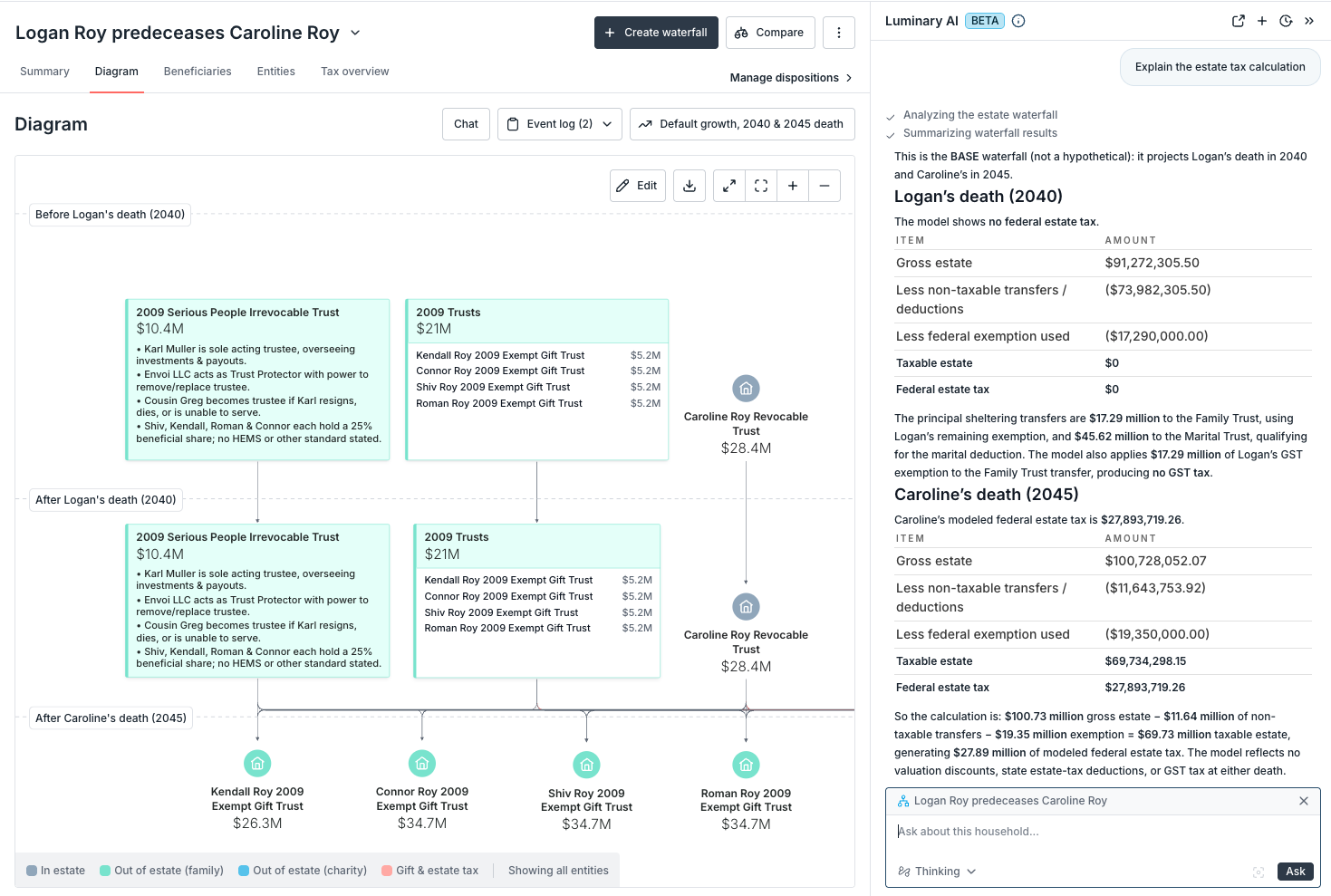
(3) Manage what the assistant references. By default, context is inherited when looking at a specific document, memo, entity, and waterfall. This is especially useful for scoping a targeted question or narrowing the inputs before asking a question.
Note: You can remove or re-add this context view the context icon at the bottom right of the chat input box.
(4) Expand the side content viewer. When you open a source document, expand the side panel to a wider view for easier reading and review right next to the conversation.