Creating client-specific growth profiles
Last updated: August 4, 2026
Growth profiles are located under the Waterfall tab by clicking on the assumption button show at the top right (example - "Default growth, 2026 & 2026 death"). In order to create a new profile, select the "Growth profile" dropdown and click "Create new profile."
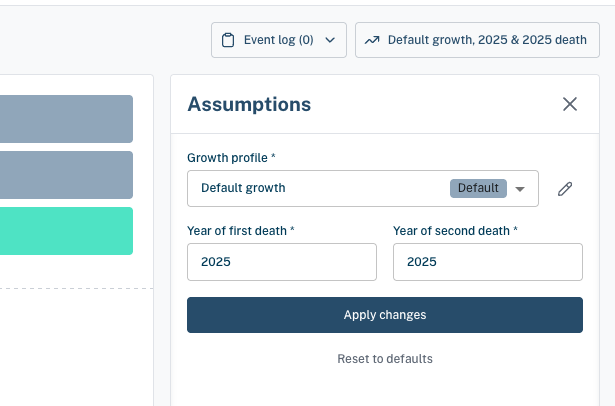
In a given growth profile you can specify the following:
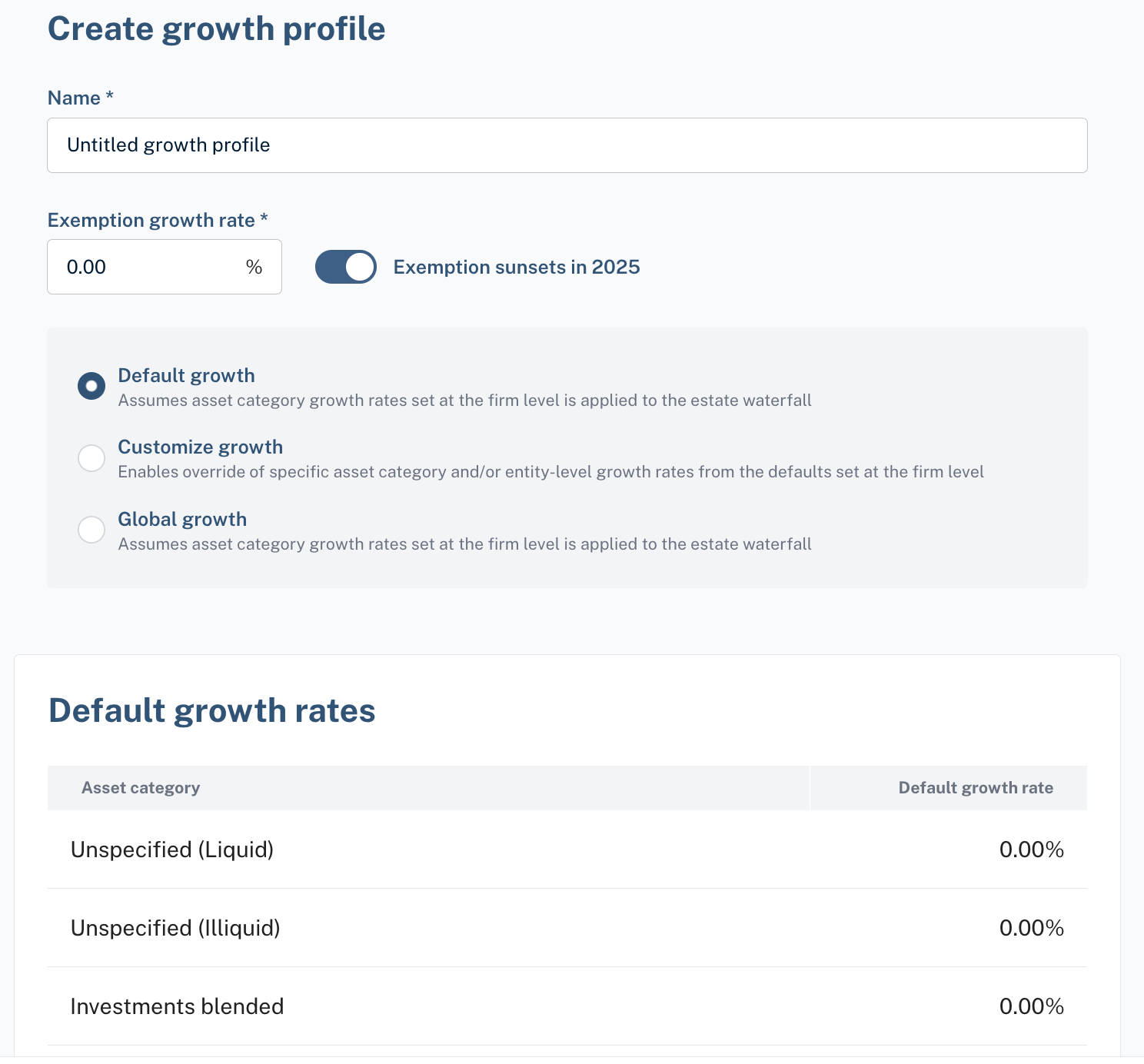
Growth profile name
Exemption growth rate
Specific growth rate options
Default growth rate
Customized growth rate
Global growth rate
Growth rate definitions
Default growth rate: assumes asset category growth rates set at the firm level is applied to the estate waterfall)
Customized growth rate: enables override of specific asset category and/or entity level growth rates from the defaults set at the firm level)
Global growth rate: overrides asset category growth rates set at the firm level with a single blended rate across the entire portfolio
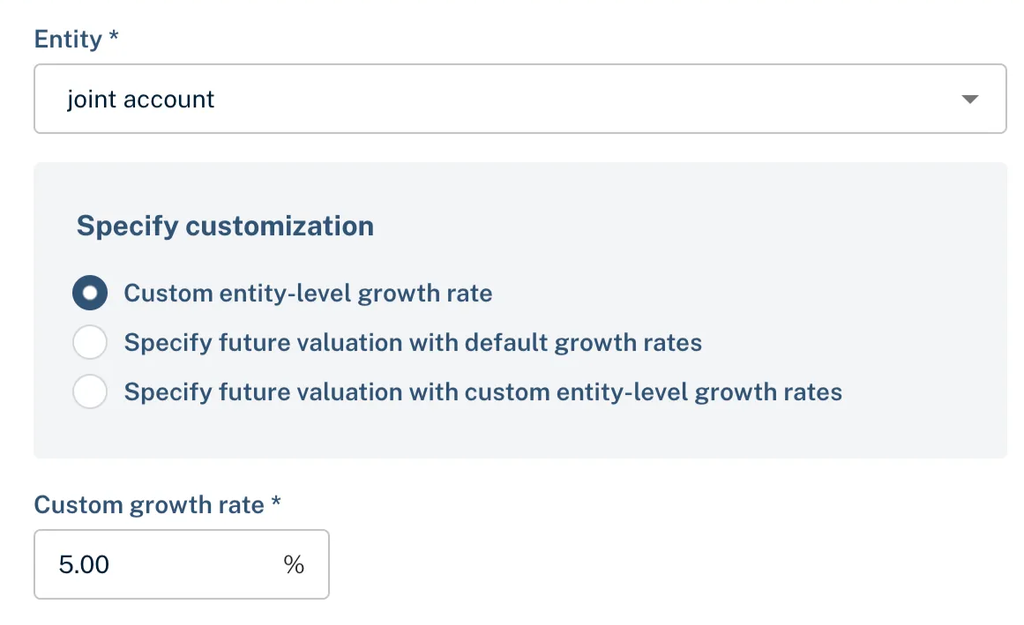
For customized growth rates, you have 3 options for entity level overrides:
Custom entity-level growth rate, which allows you to define a growth rate to apply to that specific entity
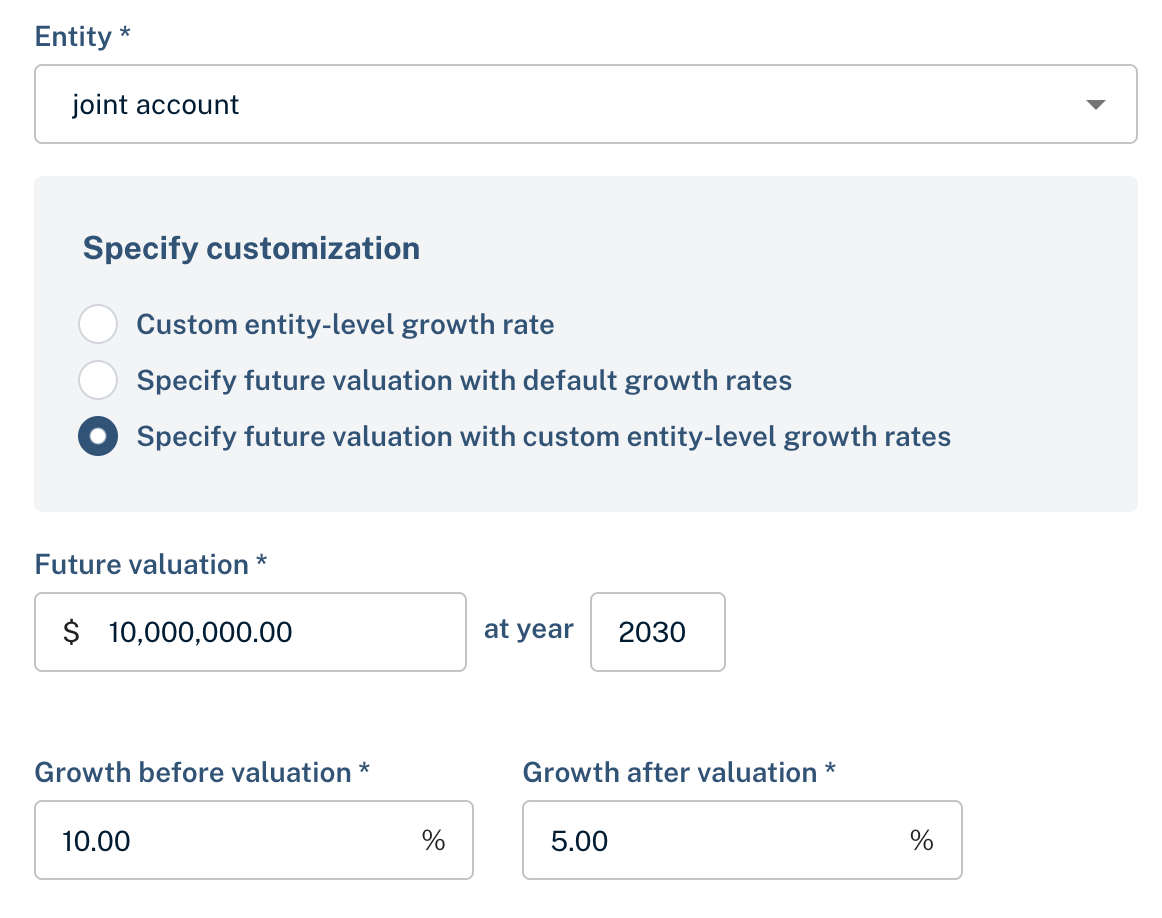
Specify a future entity valuation, which allows you to specify a future $ valuation amount for a specific entity, and assumes default growth rates before and after the projected entity value
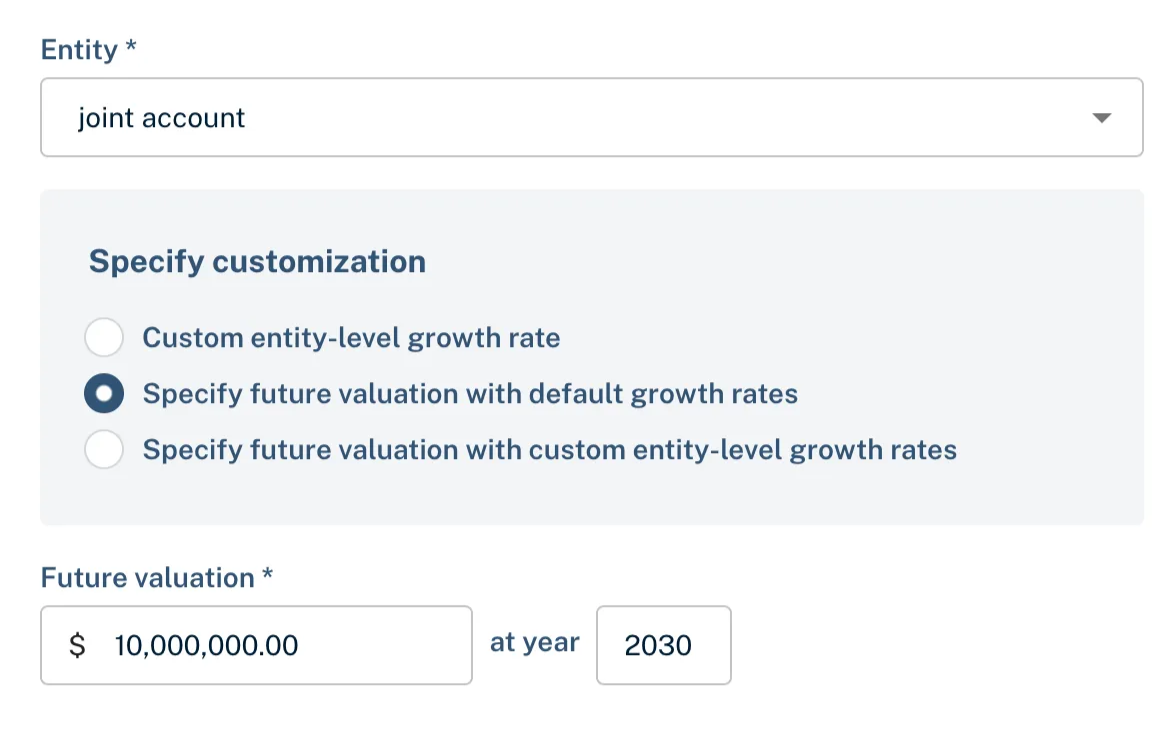
Specify a future entity valuation, which allows you to specify a future $ valuation amount for a specific entity, as well as the assumed growth rate before and after the projected entity value