FAQ: Merging, deleting & converting entities
Last updated: November 16, 2026
In the event you end up with a duplicate entity on a client profile, use the merge function to combine the two entities into a single record.
To merge duplicates:
Merge entities when both entities have data you would like to retain. In the event one entity does not have any data, skip to the next section for instructions to delete entities.
On the Estate page, navigate to the Directly Holdings, Trusts, or Businesses tab.
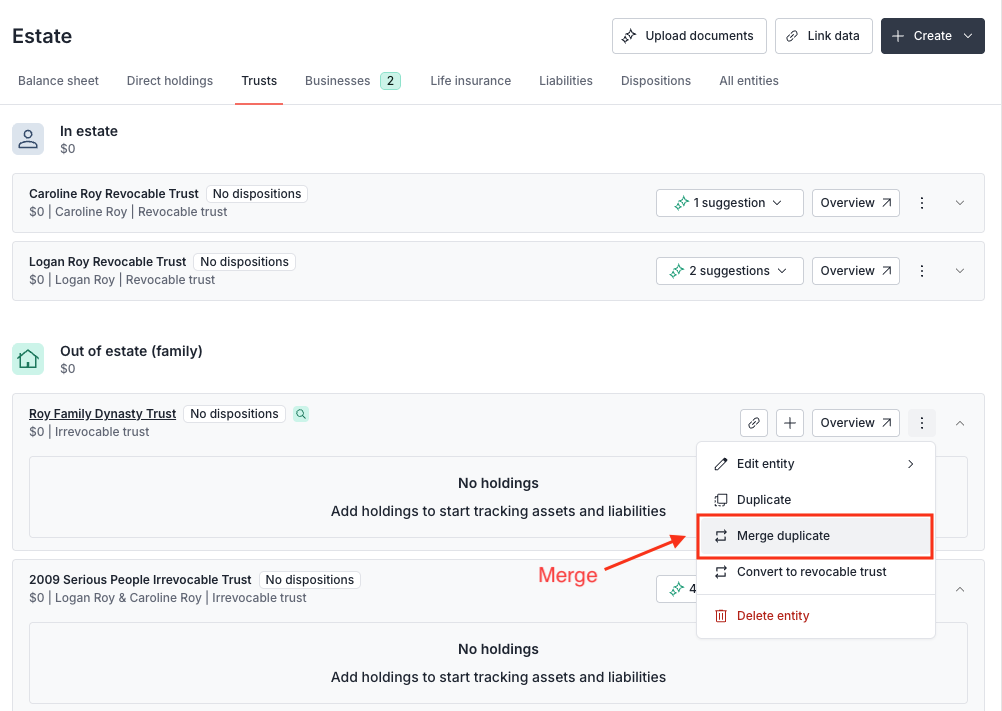
Click the three dots to the right of the trust or entity's name.
In the dropdown menu, select merge duplicate as shown below.
In the dropdown menu on the right, select the duplicate entity that you wish to merge. See example below.
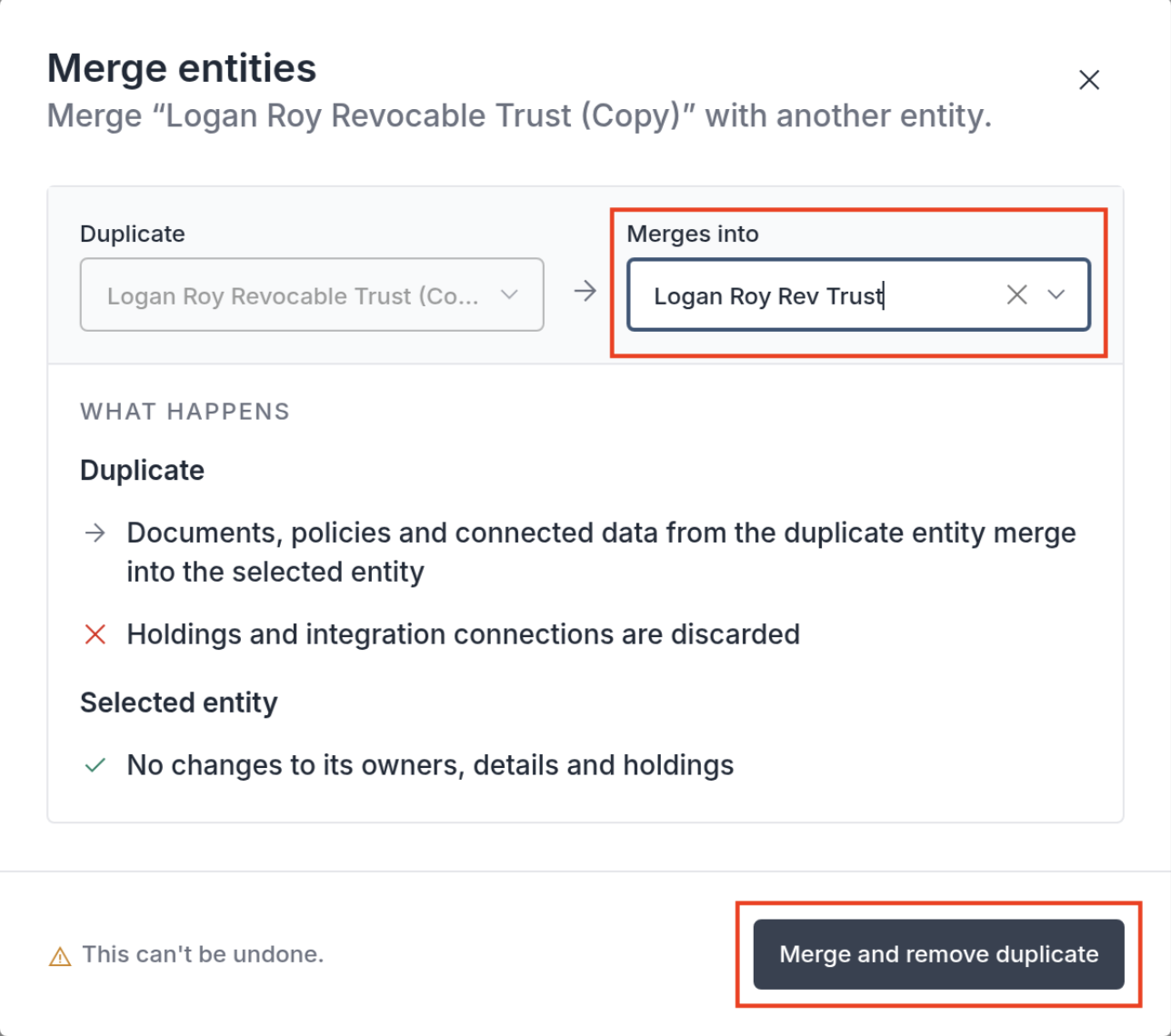
Review the summary before confirming. It shows what will move to the record you’re keeping, what will stay, and what will be discarded.Confirm the merge.
Deleting Entities
On the Estate page, navigate to the Direct Holdings, Trusts, or Businesses tab.
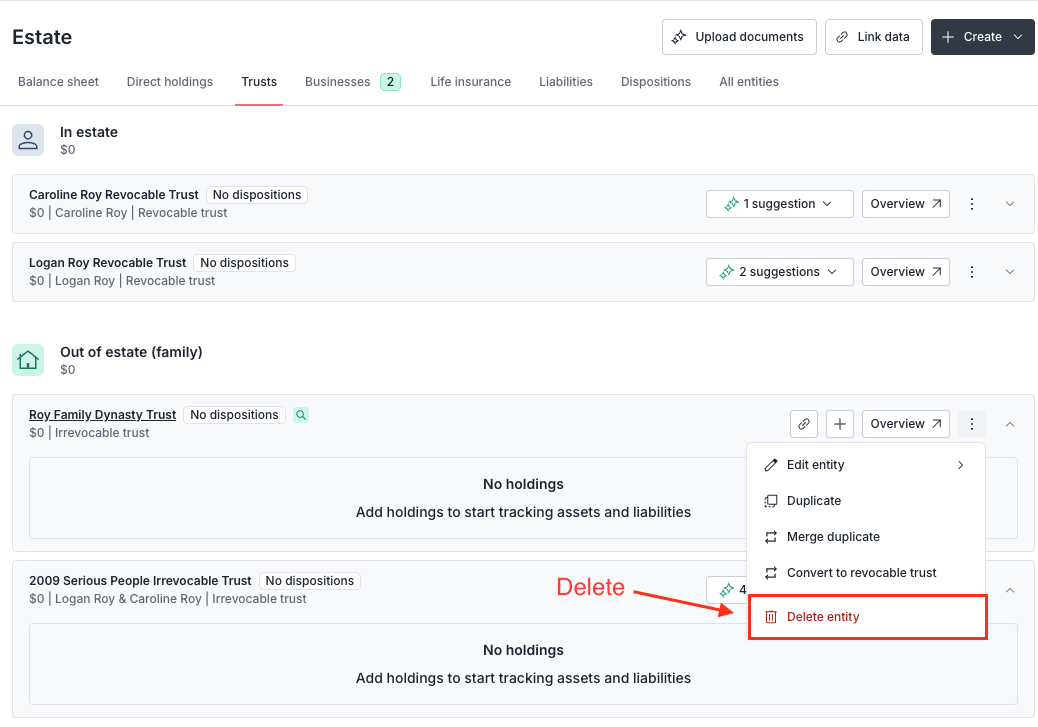
Click the three dots to the right of the trust or entity's name.
In the dropdown menu, select delete entity as shown below.
Select to confirm deletion in the pop up.
Converting Entities
Luminary allows two types of entity conversions:
Revocable -> Irrevocable trusts, and vice versa
Individual -> Joint accounts, and vice versa
Revocable & Irrevocable Trusts
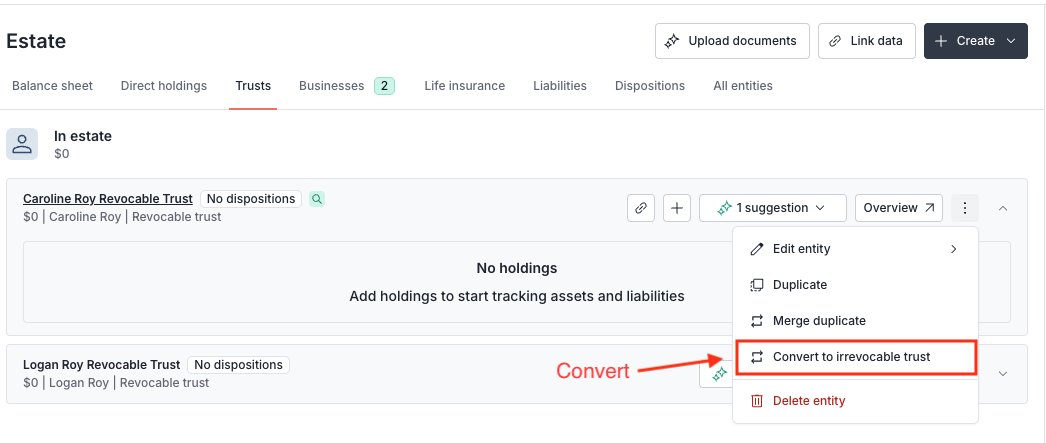
Navigate to the Trusts tab and click the three dots to the right of the entity.
In the dropdown menu, select Convert to (Ir)revocable trust.
Individual & Joint accounts
Navigate to the Direct Holdings tab and click the three dots to the right of the entity.
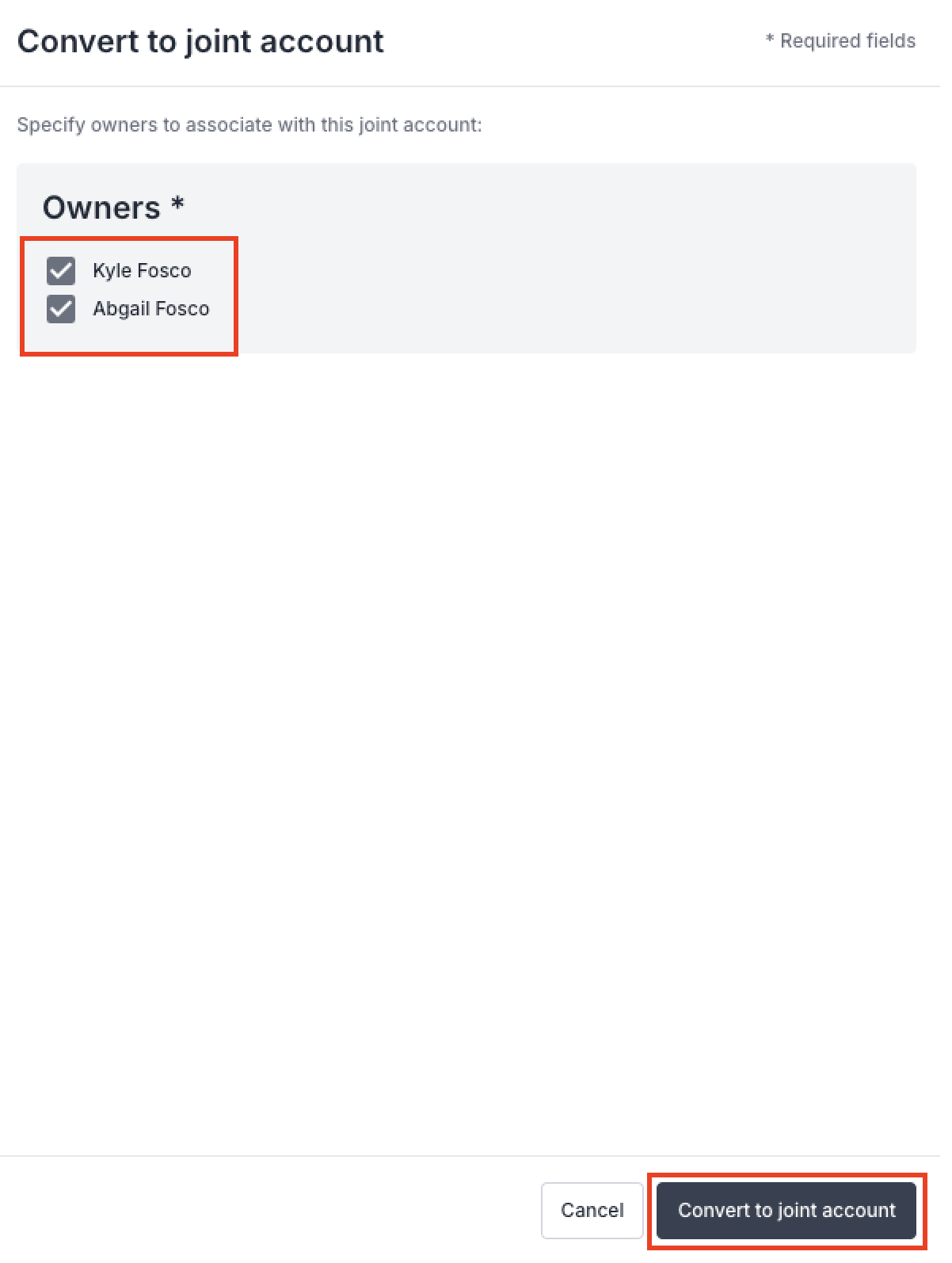
In the dropdown menu, select Convert to joint account for individual accounts.
On the next page, select the owners to associate with the joint account.
The joint account will appear on the top of the Direct Holdings tab under Joint Holdings.
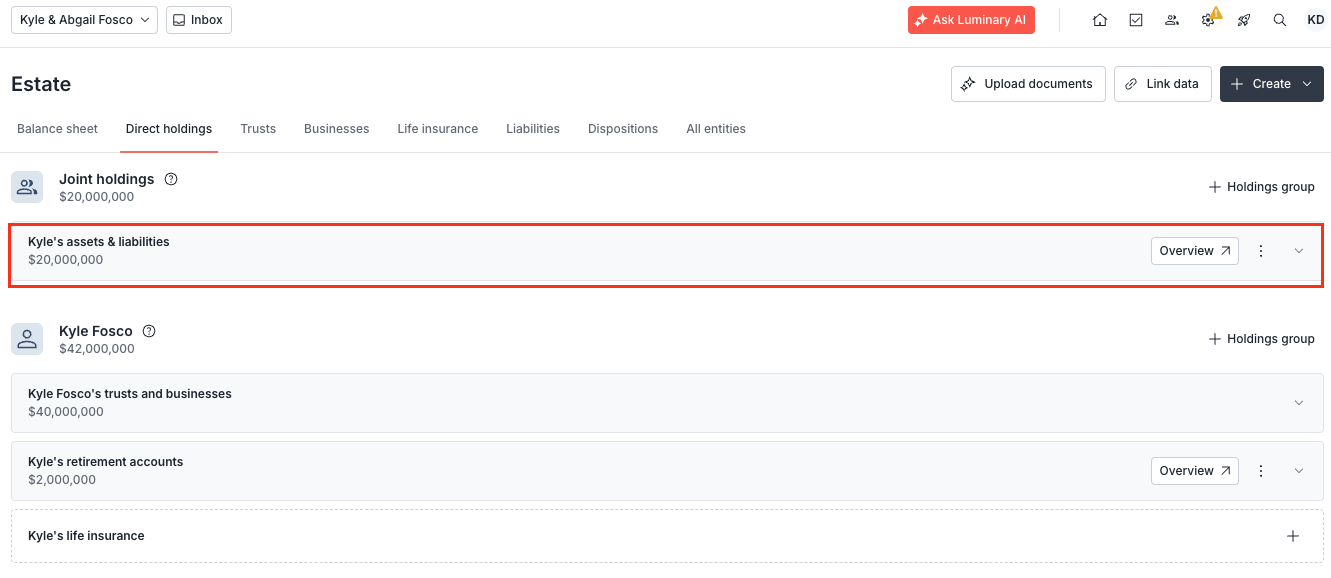
Newly converted joint accounts will typically show only one owner's name in the title. To rename the joint account, select the three dots to the right. In the dropdown menu, hover over Edit entry and select Basic information.