Add holdings: Luminary AI Assistant
Last updated: October 24, 2026
Use the Luminary AI assistant to add holdings directly, to trusts, to businesses, or to life insurance. Prompt the AI assistant with your desired changes, then confirm to see holdings added into the estate tab, and updated across the household.

Click Ask Luminary AI to open the assistant side panel. In the question box, enter a desired change or addition to holdings. The AI assistant will ask follow up questions to identify ownership, beneficiaries, or other required information. Before holdings are applied, review desired changes and click Confirm.
Review the following examples of AI tasks at various stages of completion.
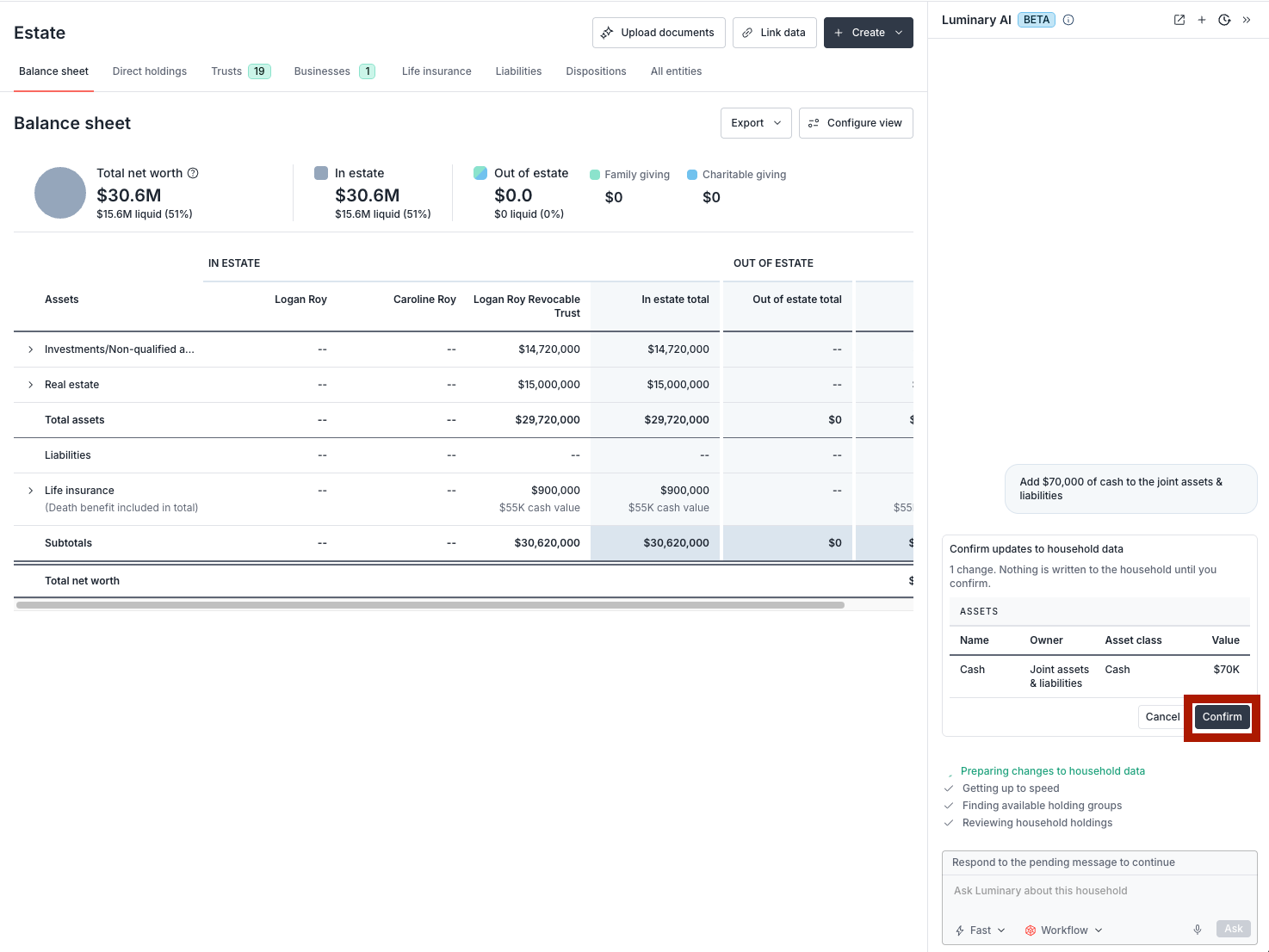
"Add $70,000 of cash to the joint assets & liabilities" - There were no follow up questions required. Confirm these changes to see assets added to the balance sheet.
"Add $1.2 million of real estate into the revocable trust called Sea Island Property, located in Georgia" - In this example the AI assistant specifies which revocable trust owns the real estate. For clarifying questions, type the response into the text box and click Submit.

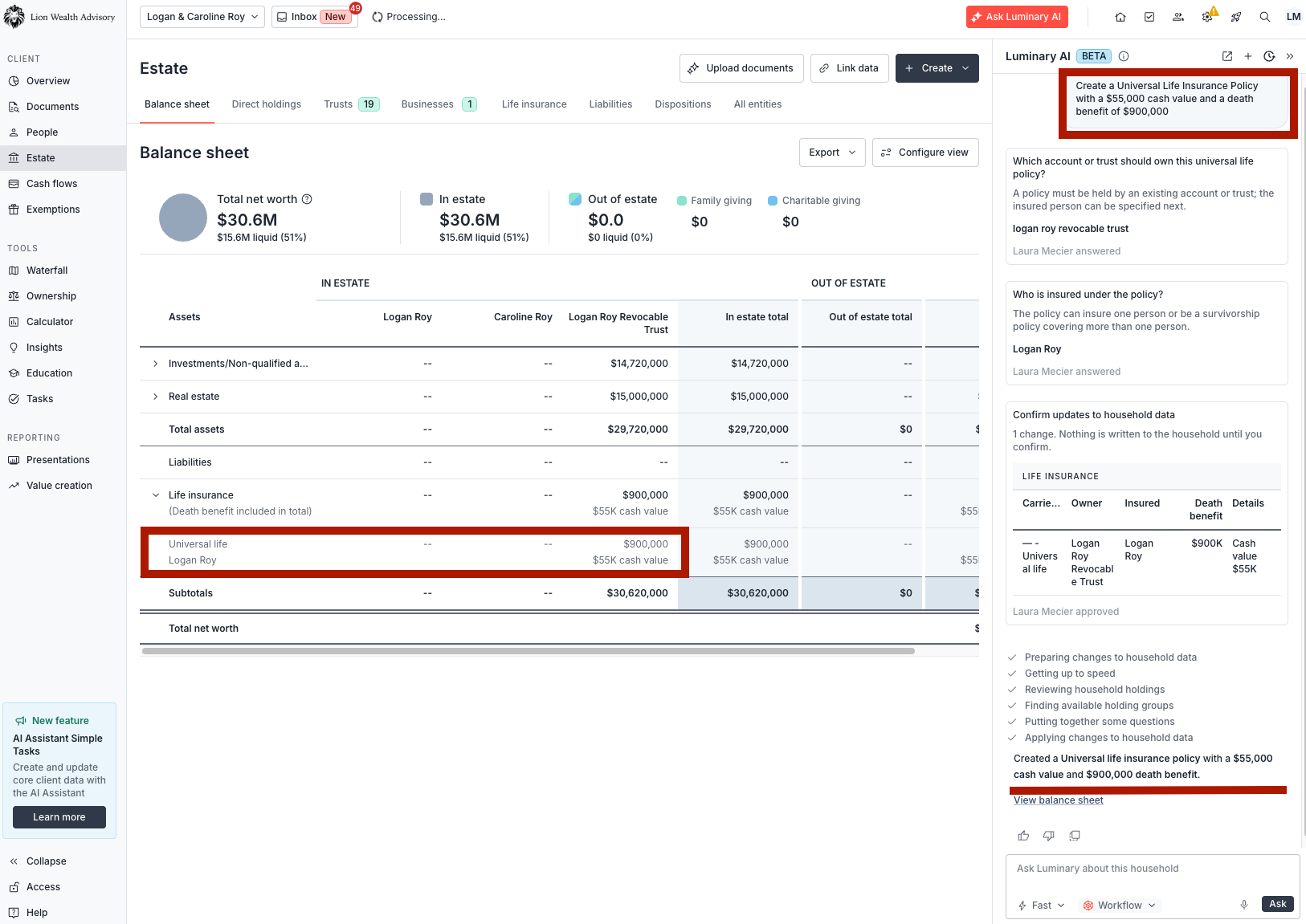
"Create a Universal Life Insurance Policy with a $55,000 cash value and a death benefit of $900,000" - In this example, two clarifying questions were answered, changes were confirmed, and the balance sheet now shows the life insurance policy