FAQ: Move assets on balance sheet (change ownership)
Last updated: August 20, 2026
Sometimes an asset ends up under the wrong owner. Instead of deleting and re-entering, you can move those assets to the correct owner. The asset keeps its value and details — only the owner changes. The balance sheet, waterfall, and presentation update automatically.
A common example: an account sits under John Smith's Assets & Liabilities but is actually held by the John Smith Revocable Trust. Rather than deleting and re-creating it, you move those assets to the revocable trust.
To move an asset or policy:
Open the owning holding group, trust, or business entity overview and click the Edit current holdings dropdown
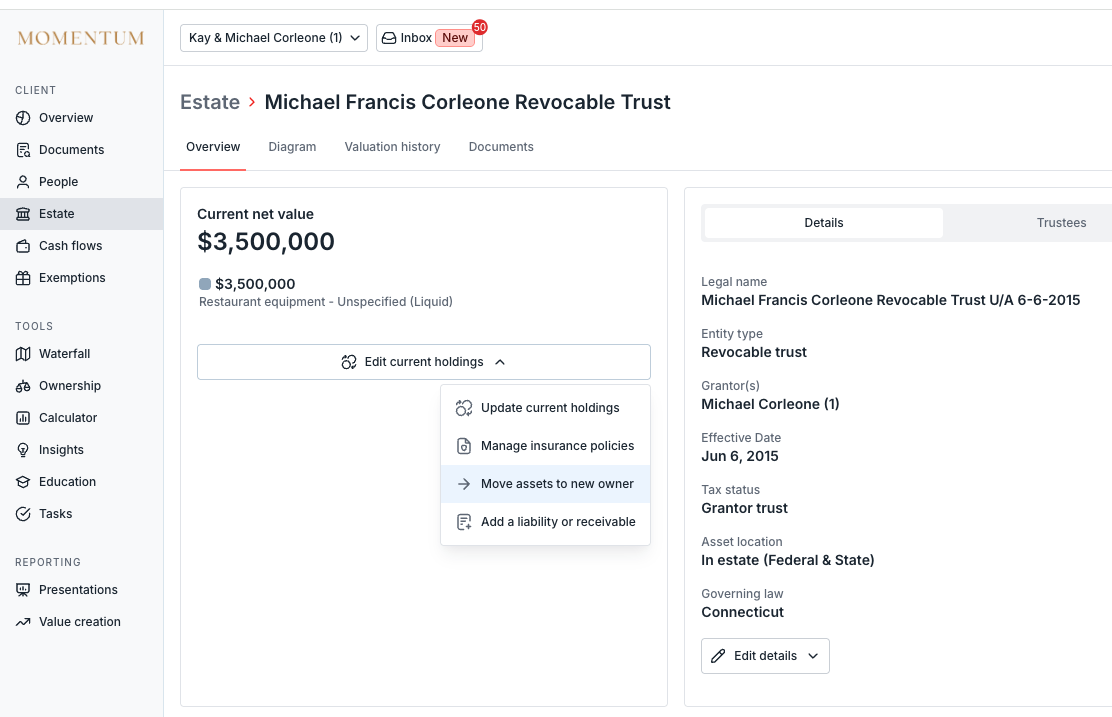
Click on the Move assets to new owner option
Choose the new owner you want to move the assets to then select the assets you want to move. You can create a new entity via this dropdown as well.
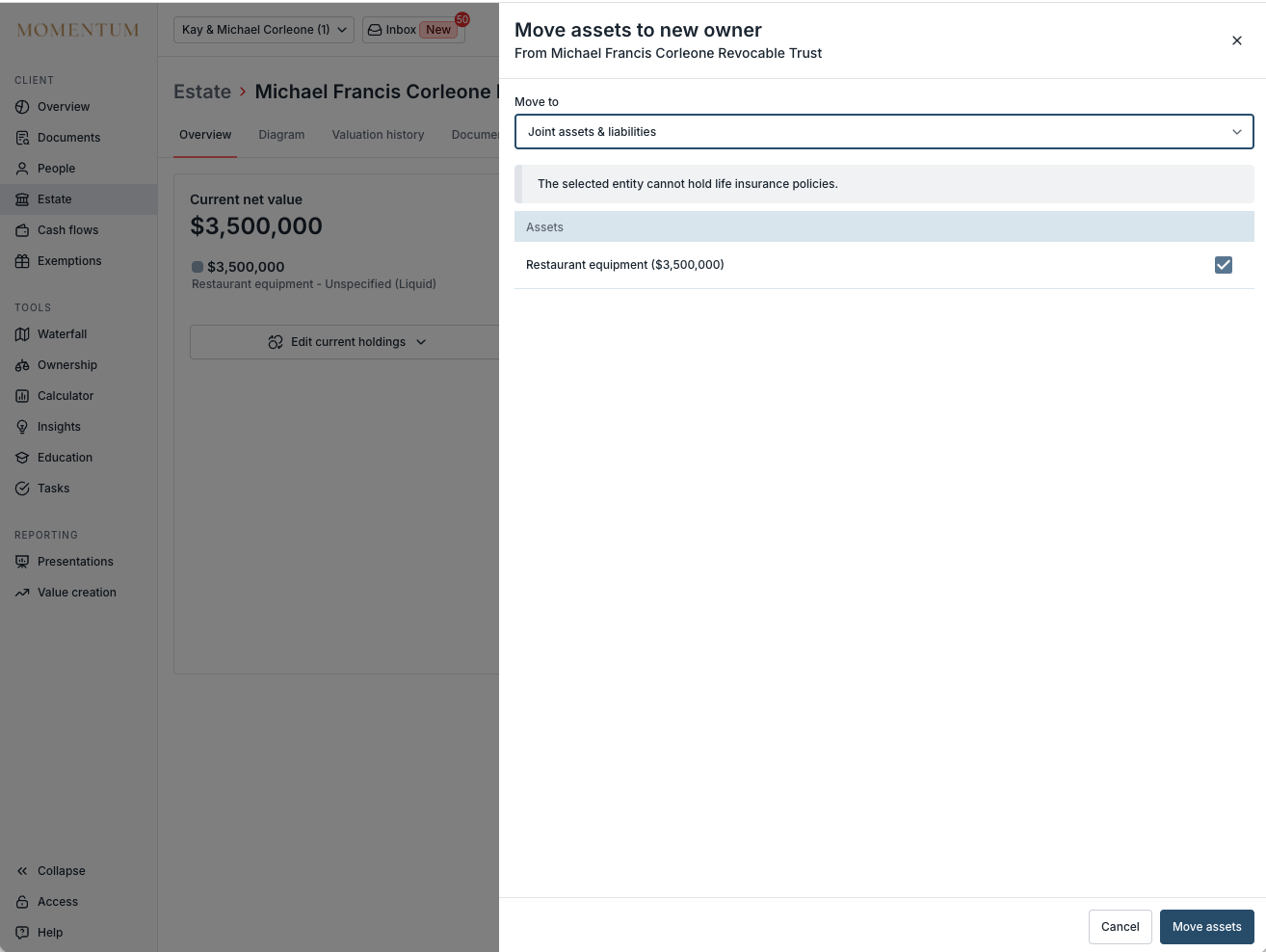
Click Move assets to confirm.
Note:
This applies to assets and life insurance policies entered directly in Luminary. Integrated assets synced from a connected provider (e.g., Addepar, Orion) can't be moved here as their ownership is managed by the source system. To correct this, update ownership in the integration and re-sync.
Some holdings groups and trusts cannot hold life insurance policies, and the directly held life insurance holding group cannot hold assets as it is set up purely to hold life insurance policies.