Add holdings: 3rd party integration
Last updated: October 29, 2026
Overview
Linking holdings from a 3rd party provider allows you to pull in accounts and asset values from other platforms, eliminating the need for duplicate data entry. Asset values are updated once a day, so your client's profile in Luminary always reflects their current net worth.
Before you begin pulling in data, you'll need to connect your individual Luminary profile to your profile in your 3rd party integration provider. If you have not done so, you can visit the link below for more instructions:
📄 Individual users: Linking Luminary profiles to integration providers
Holdings are automatically structured when linked to a portfolio reporting provider.
Once linked, accounts are structured within the owning trust, business, and holding group and split up by asset category. A single account might be repeated if it holds many different asset categories.
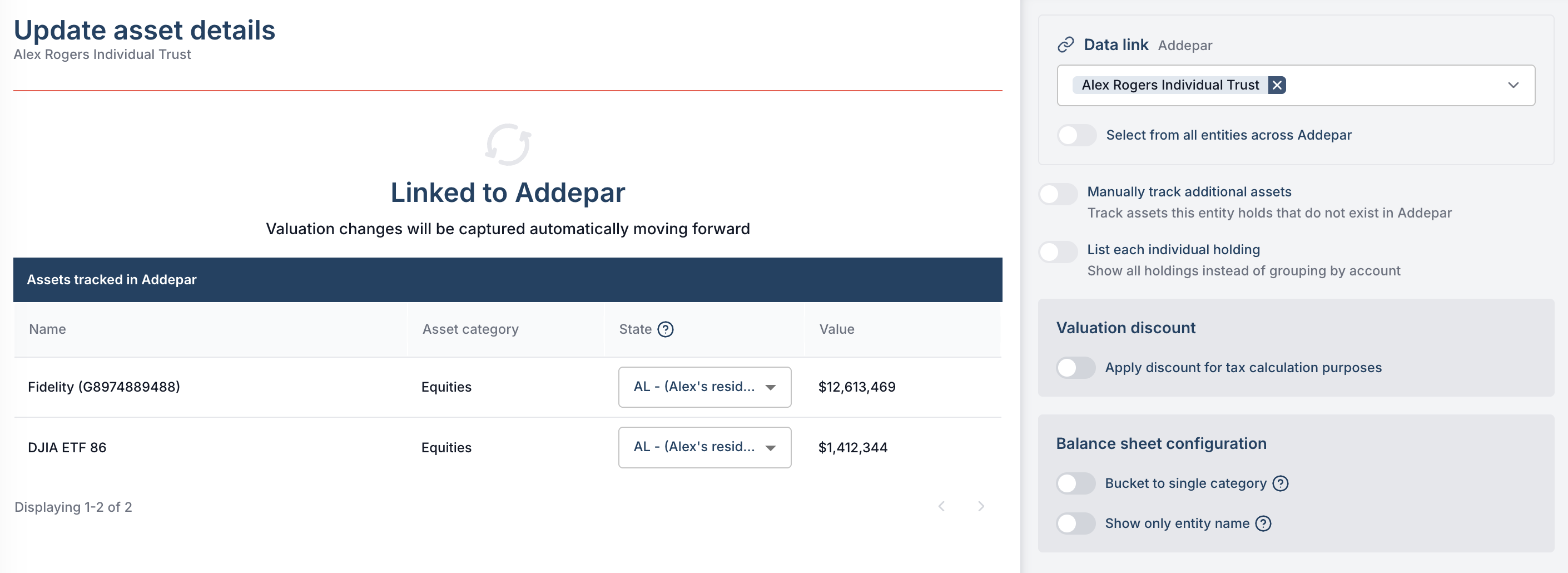
If more a structured account has a dominant asset class category (90%) then it is not broken down any further beyond that and all assets are set to that dominant asset category.
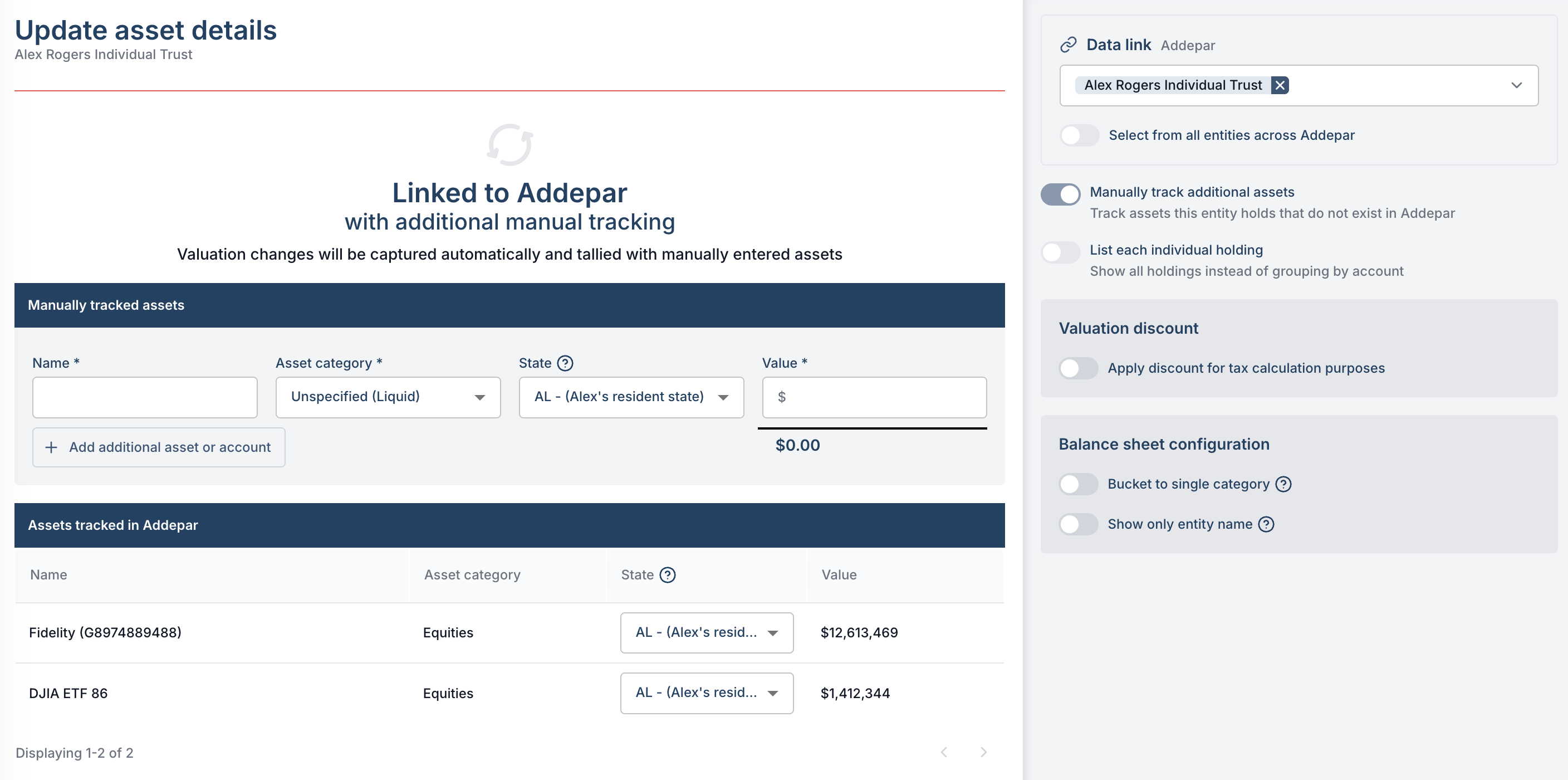
If some holdings are not captured by the assets in the portfolio reporting tool, you can simply use the "Add holding" modal from the Create dropdown or you can toggle on "Manually track additional assets" add additional assets to the entity from the update holdings page (option 3 above).
For eMoney users
For customers connected to eMoney, we also support pulling in liabilities, life insurance and cashflows. For more information, visit the link below:
📄 Add life liabilities, life insurance, and cashflows from eMoney