Configure Balance Sheet
Last updated: April 7, 2026
Introduction
The balance sheet in Luminary offers robust flexibility across the categories for asset categories to map to along with the sections (in estate and estate) and columns (directly held owners and trusts) that can be shown separated.
Configure View
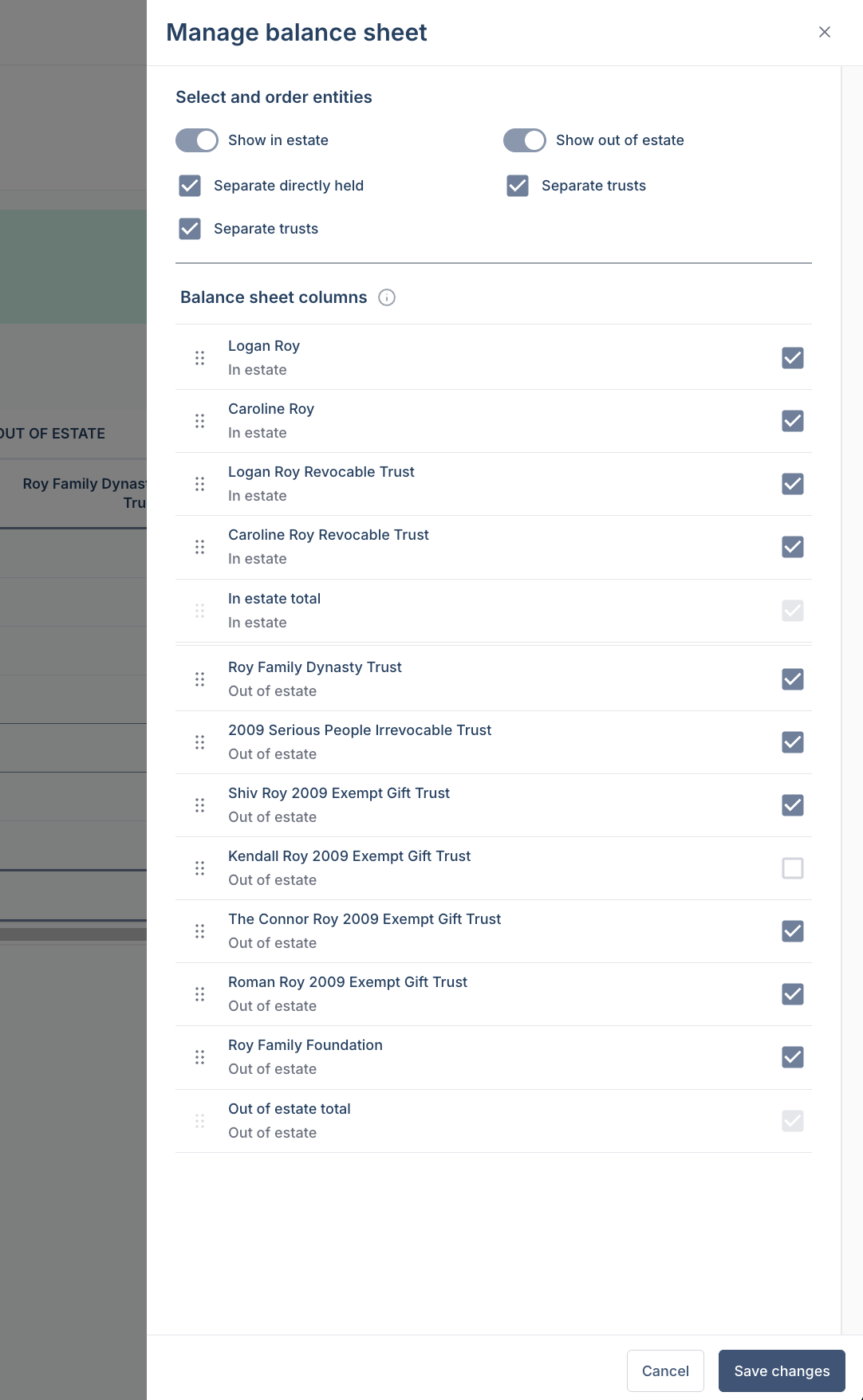
The balance sheet view can be configured in a variety of ways to show as much or as little detail as desired.
If no toggles are on, then the balance sheet will show everything combined into one column.
The options to “show in estate” and “show out of estate” will create a section for each.
For the in estate section only, “separate directly held” will split out the owner of directly held assets into individual columns and show a column for joint assets well.
For both in estate and out of estate, “separate trusts” will break out the trusts and charitable entities into individual columns and also create an out of estate other column as a catch all for various cases (529, UGMA/UTMA, personal accounts held by non-primary clients).
Reorder columns in the balance sheet by dragging and dropping entities into your preferred order.