Firm set up for admins: Black Diamond
Last updated: April 26, 2025
Pre-requisites
The steps below will get the Luminary integration up and running for your firm. You must be a Black Diamond admin to complete the following steps. If your Black Diamond data is not structured as defined below, contact us and we will determine the best way to support you.
Required Black Diamond Structure for Luminary Integration
Luminary built the Black Diamond integration to sync valuation data automatically. In order to enable this, Black Diamond account information must be set up in a specific way leveraging the relationship object for Luminary primary clients and the portfolio or account objects for Luminary entities.
Link Admin User to Luminary
Linking your firm’s admin user will start the nightly sync.
Log into Luminary
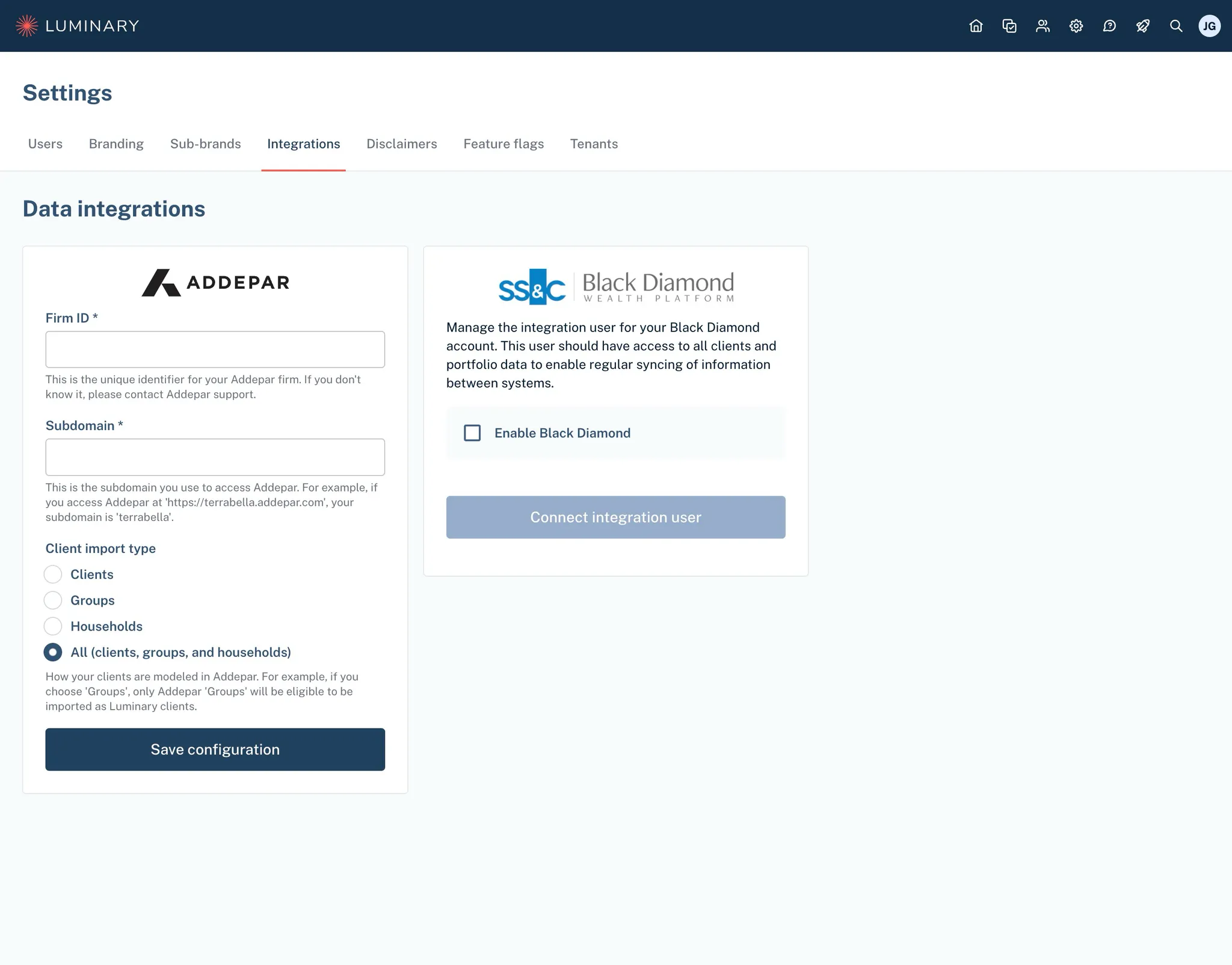
Click the gear icon (Settings) from the top right corner and select the “Integrations” tab
Your Luminary user must have “administrator” permissions to access this. Please reach out to support@withluminary.com if you need to be granted Luminary administrator access.
Check the box to “Enable Black Diamond”
Click “Connect integration user” which will redirect you to the Black Diamond sign in
Sign into Black Diamond with your admin user